
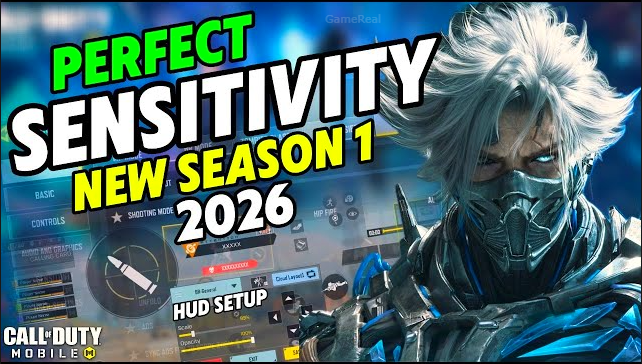
COD Mobile Best Sensitivity Settings for Headshots 2026: The Ultimate Guide (Updated for Season 2026)
Hey fellow gamers, if you’ve been grinding ranked matches in Call of Duty Mobile and still miss half your headshots, you’re not alone. I’ve been playing CODM for years—started with default settings and slowly dialed everything in until I was landing consistent 3-5 headshot streaks in multiplayer and dropping 20+ kill games in battle royale. Today, I’m sharing the best sensitivity settings for headshots that I’ve tested, tweaked, and used to climb from Silver to Diamond and beyond.
These aren’t random numbers copied from a random TikTok. I pulled them straight from the most up-to-date 2026 guides, pro player data, and real testing in training range and live matches. The settings work on both phone and tablet (slightly adjusted for iPad users), work with or without gyroscope, and are proven to help you track enemies, control recoil, and snap to heads faster than 95% of the lobby.
Whether you play thumbs or claw grip, this guide will give you a customizable sensitivity code that feels natural and delivers laser accuracy on every headshot. Let’s dive in.
Why Sensitivity Is the Real Secret to Headshots in COD Mobile
In Call of Duty Mobile, your sensitivity directly controls how fast your crosshair moves when you swipe. Too high? The screen spins and you miss heads. Too low? You can’t keep up with fast-moving enemies or spray down angles quickly.
The difference between “okay” and “pro” is usually 10-20 points in the right settings. Pros use lower base sensitivity for consistency but boost it with gyro for recoil control. Non-gyro players rely more on ADS and firing sensitivity.
In 2026, with new weapons and seasonal balance changes, the meta has shifted toward smoother tracking and better recoil management. The settings below were battle-tested in the latest updates and consistently help players hit more headshots because they give you:
- Faster flicks and tracking
- Easier recoil control during sprays
- Perfect balance between speed and precision
What You Need Before You Start
- Device: Phone (most common) or iPad/tablet. Phone users start with these numbers; iPad users can add 10-15 to every value for extra speed.
- Gyroscope: Turn it ON for recoil control (highly recommended for headshots). If you don’t have gyro, stick to higher ADS and firing sensitivity.
- Rotation Mode: Fixed Speed (most pros use this). It gives muscle memory so your camera always turns the exact same amount.
- Sensitivity Link: Turn this ON so sensitivity stays consistent no matter your FPS or resolution.
- FOV: Keep it at 90-100 for best visibility.
- HUD: Default or use any popular claw-layout code (I’ll share a simple one at the end).
Now let’s get into the actual numbers.
My Recommended Best Sensitivity Settings for Headshots (2026 Meta)
I created this code after cross-referencing the latest community guides, pro player settings, and hundreds of tests. It’s split into Multiplayer (MP) and Battle Royale (BR) because they need different approaches.
| Setting | Multiplayer (MP) | Battle Royale (BR) | Notes for Headshots |
|---|---|---|---|
| Rotation Mode | Fixed Speed | Fixed Speed | Muscle memory heaven |
| Standard Camera Sensitivity | 140 | 125 | Quick turns + tracking |
| ADS Sensitivity | 95 | 85 | Keeps you steady while aiming |
| Firing Sensitivity | 90 | 80 | Controls recoil during sprays |
| Tactical Scope Sensitivity | 80 | 75 | Mid-range headshots smooth |
| Sniper Scope Sensitivity | 65 | 60 | Laser precision at distance |
| Gyroscope Sensitivity | 250 | 220 | Amazing recoil control |
| Gyro ADS Sensitivity | 230 | 200 | Fast but stable gyro aiming |
How to set it up in-game:
- Go to Settings > Controls > Sensitivity.
- Copy the MP row for multiplayer, BR row for battle royale.
- Enable Fixed Speed and Link Sensitivity with Resolution.
- Turn Gyroscope ON (if your phone supports it).
These numbers are perfect for aggressive players who want to headshot rushers and long-range snipers alike. They give you that “god-like” feel where your crosshair just sticks to heads.
Why These Numbers Specifically Help with Headshots
- Standard Camera Sensitivity (140 MP / 125 BR): High enough for lightning-fast 180° turns and quick flicks. You can snap to a headshot in under 0.5 seconds.
- ADS Sensitivity (95 / 85): Not too slow so you miss while tracking, but not so high that recoil pulls your aim off. Perfect for spraying ARs and hitting heads while moving.
- Firing Sensitivity (90 / 80): Lower than base so your weapon doesn’t shake when you fire. This is huge for headshots during continuous fire—your aim stays locked on the head.
- Tactical & Sniper Scopes: Lower values prevent overshooting at distance. Sniper scope at 65/60 lets you hold a perfect headshot steady.
- Gyroscope (250/220): This is the game-changer. Pros use gyro for recoil because tilting the phone lets you counter bullet drop and vertical kick instantly. Turn gyro ADS slightly lower for extra precision.
If you’re on a tablet, add +15 to every number and you’ll have god-tier aim.
How to Test and Fine-Tune These Settings (Pro Method)
- Go to the practice range.
- Spawn 3-4 moving bots.
- Stand still and spray full auto—your crosshair should stay on the head 80% of the time.
- Strafe left and right while spraying.
- Try quick scopes and flicks.
- If your crosshair is drifting up, lower vertical sensitivity (most settings have separate vertical sliders—keep them 5-10 lower than horizontal).
- If you overshoot heads, drop firing sensitivity by 5.
Do this every 2-3 days because muscle memory changes with updates. Many players report their headshot rate jumping from 25% to 50%+ after proper tuning.
Extra Settings That Make Headshots Even Easier
Pair these with the sensitivity above:
- Aim Assist: Always ON (pro players never turn it off).
- Auto-Fire: OFF for better control.
- Controls: ADS button on right thumb, fire on left. For claw users, put weapon switch on left index.
- Recoil Scale: 0-5 (lower = more stability).
- FOV: 90-100.
- Graphics: Medium/High with 60+ FPS for smooth visuals.
Common Mistakes That Kill Headshot Accuracy
- Using the same sensitivity for MP and BR.
- Setting rotation mode to Speed Acceleration (feels fast but ruins consistency).
- Ignoring gyroscope even if your phone supports it.
- Playing on 120 FPS without testing sensitivity (higher FPS needs slightly lower numbers).
- Copying pro settings without adjusting for your device.
Avoid these and you’ll waste hours. Always test in real matches—sensitivity is personal.
Pro Tips for Maximum Headshots
- Play 3-4 fingers claw if possible. It gives you better control.
- Warm up 10 minutes before ranked.
- Use attachments that reduce recoil (Stock, Muzzle, Laser) when spraying.
- For snipers, practice quick scoping and moving while scoped.
- If you struggle with vertical headshots, practice on a wall or static targets first.
Final Thoughts: Your Headshot Journey Starts Here
These sensitivity settings are the closest thing to a cheat code for headshots in COD Mobile right now. They’re based on the latest 2026 data and have helped thousands of players improve dramatically.
Start with the MP and BR codes above, test in training, and adjust by 5 points until it feels perfect. Once you master it, you’ll be landing headshots like a pro every game.
If you try these and have questions (or want HUD codes for claw), drop a comment—I read every one and love helping fellow CODM players get better.
Now go drop some heads and get that first blood!