
Solider Mechanics: Pioneer Playtest Guide for the March of Giants Plays
In March of Giants, you cannot just spam abilities on the enemy Giant to win a fight. Your Soldiers have the ability to attack enemies, pressure objectives, scout for picks, and even aid in map control. But send them the wrong way, and you’ll sacrifice a valuable batch of units at the worst possible time for your team.
The October 2026 Pioneer Playtest offers an additional chance for players to get to know this system, which is at the heart of the game’s identity as a 4v4 War MOBA. Unlike a standard MOBA where minions more or less stick to their lanes, March of Giants allows you to take direct control of Soldiers with a handful of tactical commands.
The trick is to know when to rally, charge, redirect, recall, or release your troops. You should also know how Battleworks, like Trenches and Soldier Drops, reinforce your army. These systems complement each other, so effectively managing the Soldier can be a lot more than simply sending the largest mass possible into battle.
This guide covers the confirmed controls and the function of each command, as well as some basic applications of Soldiers in the Pioneer Playtest.
What Are Soldiers in March of Giants?
March of Giants is a 4v4 multiplayer online battle arena game in which players take control of mighty Giants, deploy Soldiers, build Battleworks and fight alongside their teammates to eliminate two of the three enemy Bastions while defending their own.
Soldiers are a key element of the battleground. They can be used to engage enemy Giants, fight for objectives, and apply pressure towards a target when ordered. Their movement and combat are tied to your commands, so they are a tactical resource, not just wallpaper units.
The official Soldier Mechanics guide states that friendly Soldiers automatically rally to the nearest friendly Giant and follow that Giant into battle.
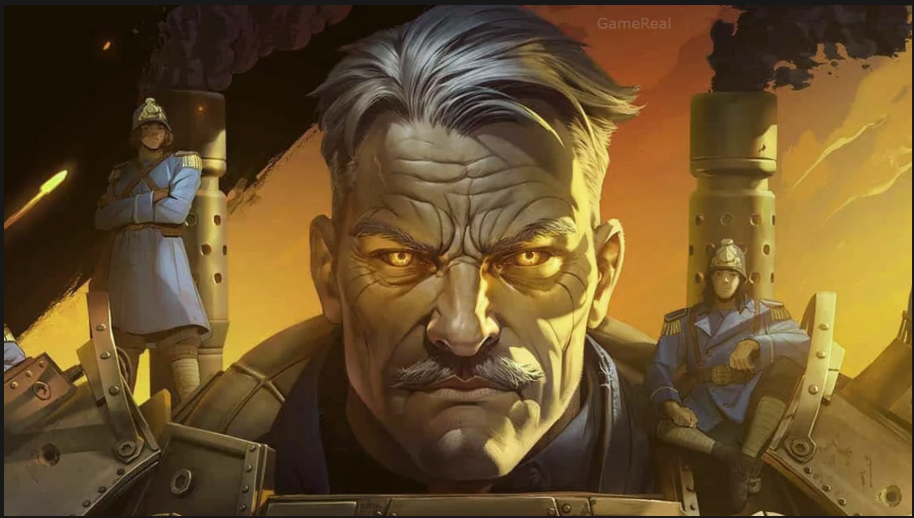
Soldiers at your command can be identified by the glowing Strike Lights on their helmets. This is particularly helpful when multiple groups are engaged in combat in close quarters.
At its core: your Giant is not fighting alone. You are also commanding a force that can be sent to take advantage of opportunities, pulled out of harm’s way, or used to influence where the next fight takes place.
Rally: Assemble Your Squad Before Deployment
Rallying is at the heart of Soldier organization.
Friendly soldiers will automatically form around allied giants if they are nearby. As you advance across the battlefield, the troops you command who have been with you right from the beginning are with you making up a force before you receive an order to attack.
This leads you to a rude choice: do you go on the offensive with the small number of Soldiers you have, or sit tight and let them come to you?
More numbers can be more pressure but waiting around an eternity is not either. An enemy might go to take an objective, get out of a fight, or reinforce a weak point while you remain on the sidelines.
How to Use Rallying for Maximum Effectiveness
Make sure you are in formation before you attack. Watch the strike lights glow to know which soldiers are at your command. This prevents you from making false assumptions based on units that might not actually be part of your group.
Briefing you before a planned battle. If you are traveling a long distance to meet an enemy Giant or a crucial objective, let your soldiers gather when you can and the situation allows.
Watch the fight around you. Rallying does not an order to charge make. When your team is pulling back, or the enemy’s dug in somewhere with a clear defensive line, a slight pause might open up a different tactical solution. Avoid the unnecessary idle time. Waiting for the “right time,”“the perfect size to group up” may cause an entire opportunity to disappear if the enemy is exposed head.
“it depends” answers are always the best ones. Rallying will give you a group to command, but it doesn’t ensure that you will win with a group of attackers.
Charge: Turn Your Troops Into an Attack
Press D to make your rallied Soldiers charge out.
Along with simply walking behind your Giant, soldiers can now do more harassment Duty??Follow your Soldiers pressing continuously against your Giant. The official manual refers to the order as a way to go on the offensive and states that Soldiers can help in attacking enemy Giants and taking objectives.
A charge is only worthwhile if you know exactly why you’re committing your force. That could be to apply pressure on an opponent, to support a teammate, or to make your opponents respond to the threat of an attack while your team does something else.
When should you charge?
Three things to think about before you pinch:
Focus: Is there any significant enemy or target to apply pressure to?
Timing-Does Your Charge Have Time To Impact The Fight? to enter a charge that would affect a fight currently underway, instead of just showing up Staling for it.
Risk: Are you sending your soldiers into a defeatist situation?
These are just strategic rules of thumb, not hard-and-fast damage calculations. The game does not impose a global rule that a certain number of Soldiers lead to a successful charge.
Common errors when charging
Charging (or running) blind Let us not forget the mistake of charging without knowing the nature of the battlefield. Soldiers might be advancing on a target that is no longer worth attacking, particularly if the enemy alters direction or a comrade calls for help on the other side.
Another is to treat every charge as a do-or-die proposition. March of Giants provides orders to redirect or recall Soldiers so you can reconsider an attack as the situation evolves.
To charge is not just to engage in battle; It is to seize the initiative and impose your will by the sheer weight of numbers at a time and place chosen by you. And it is about making use of the moment to put pressure on the enemy with your army.
Change Your Plan Mid-Charge Redirect: Plan en cambio Frote Carga Store
Change of plan mid-battle The redirect command is one of the most important responding tools in the ever changing battle.
When your soldiers are charging, hit D twice to redirect them. This decision means you can switch direction in mid charge, rather than being tied into direction of original charge.
Now suppose you dispatch Soldiers at an enemy Giant, but the foe retreats and something else emerges for close.
It’s a redirect that allows you to respond, as opposed to barreling through an attack that might not work anymore.
Situations where they could practical redirecting
An enemy changes position. If your target moves, you need to decide if it still makes sense to follow it.
There’s a new fight brewing. A teammate needs pressure on the other side of the map. Redirecting might be the key to getting your soldiers to that fight.
When your initial target is no longer accessible Your target gets out of reach of you initial target, it is difficult to replace your damage that got on it, unless it moved to a place that makes it again easily feasible for you to target his Leader, that is.
If the attack is no longer any good, change direction rather than let the charge continue without any sense of purpose.
The battlefield shifts at the last minute. In a MOBA, the enemies seldom really have a rigid plan. An order to adjust and adapt is often more useful than a perfectly executed but now wholly irrelevant plan.
Don’t redirect just because you spot another target. Think about whether turning around will actually help your team, and keep in mind that pulling your Soldiers off one fight may weaken the pressure you’re putting on there.
Recall: Know When to Withdraw
Press F to recall charging Soldiers.
Recall allows you to bring your soldiers back when the attack becomes a waste or when a new opportunity arises that requires a new plan of action. Furthermore, soldiers should be knowledgeable that burrowing them into a charge does not imply they should blindly persist with that attack no matter what.
What is When to recall? 1 Your target has moved into an unfavorable position.
The battle has evolved, and your team requires a new perspective on the assault.
There is no longer any benefit to completing the charge in the direction you were trying to keep up the pressure on.
We want to hear us recoup be for we go again in a different direction.
Recall should be a tactical option rather than an indication that a charge was a failure. Withdrawing early can also sometimes save the spirit of “ play another useful play.”
Not every attack that is against the rage of a rage player should be recalled. So it came down to if continuing the charge still Exactly what the grandpas do need.
One thing you can do is develop the habit of looking off D after you issue it. If things are different, you may well have ask yourself if the original target is still worth chasing. If not, take the opportunity to execute the available command to modify.
Release Soldiers and Send Small Scouting Charges
March of Giants also provides players with more advanced Soldier management commands.
To release Soldiers from your command, press F twice. The official guide states that this is “to release Soldiers from your control.”
The game also has the option of sending a smaller scouting charge: while Soldiers are charging, you can press Shift + D to send a small scouting party.
These commands offer choices beyond simply gathering a group and sending the whole force into battle.
When scouting can be beneficial
While a large charge is built to apply pressure, a smaller scouting party can be used for other reasons. It is a tool that allows you to send some Soldiers ahead without considering every movement a full-blown attack.
In case you are curious, you might want to explore a path or apply pressure while maintaining your overall plan flexible. A scouting charge is a tool that can help you to take advantage of an opportunity without automatically committing every Soldier at your disposal.
However, the official guide does not provide a breakdown of the scouting range, resource collection rates, or the exact size of the scouting party. You should not make assumptions about these details.
When to release Soldiers
Releasing Soldiers is a more niche command than charging or recalling. Before doing so, you need to think if you really want to give up direct command of that group.
The key difference is that releasing Soldiers is not the same as recalling charging Soldiers. Recall brings your charging Soldiers back; releasing them removes them from your command.
When to release Soldiers?
Releasing Soldiers is a more advanced command than charging or recalling. You should think if you really want to give up direct control of that group before using it.
The key difference is that releasing Soldiers is not the same as recalling charging Soldiers. Recall returns your charging Soldiers; releasing them removes them from your command.
If you are still learning the controls, first learn to charge, redirect and recall. You can start using release and scouting commands once you have a feel for how your Soldier group normally behaves.
Stomp Enemy Soldiers to Clear Incoming Waves
Soldier management is more than just micro-managing your own units. You also have to manage enemy Soldiers.
The official guide states that the left mouse button is used to stomp enemy Soldiers. The stomp ability has a cooldown, and waves that are large enough can get past it.
This limitation is important. While a stomp can be effective against enemy units, it is not a permanent answer to every wave coming in.
Stomp with awareness
Consider the size of the wave. The official guide explicitly states that “large Soldier waves may get past your stomp.” You cannot assume that one activation will always neutralize the threat.
Be mindful of the cooldown. Since the ability does not have continuous usage, think about when you actually need to use it instead of just relying on it as a button to spam.
Think about the bigger picture of the fight. While Soldier clearing can be beneficial, your team still has to deal with enemy Giants, objectives, and the overall battlefield.
Don’t confuse clearing a wave with winning the engagement. Removing enemy Soldiers may present an opportunity, but the battle is not over until the final outcome is decided.
Battleworks: Trench and Soldier Drops
Soldier orders are more compelling with Battleworks, the buildings and tools the players can put down mid-match.
Two-Battleworks related especially to the management of Soldiers are explained by the official Soldiers Mechanics guide: Trenches and Soldier Drops.
Trenches
Trenches can stop enemy charges and resupply your rally with additional Soldiers at a cost in Supplies.
That makes them relevant both for defense and force management. They can disrupt an incoming charge and they can help replenish your own rally.
The Supply cost is notable. Resupplying Soldiers is not free so ask yourself if the lives are worth the cost at the time.
A good way to think of Trenches as a mechanism to pre-shape an engagement: as they do more than simply placing new units into a fight- they make enemy charges around them less likely if not impossible while also somewhat influencing the enemy team’s strategy when moving into a position.
Soldier Drops
The Soldier Drop Battlework lets you call in extra Soldiers when your numbers are looking thin.
This adds a new option through which you can replenish your numbers, rather than just depending on the Soldiers you currently have in a rally around you.
When you’re thinking about using a Soldier Drop, ask yourself if you’re about to get involved in something significant, or if the extra soldiers would be better off waited for outside. The official (not to say authoritative) guide fixes the push function but does not necessarily say that there is everywhere, always a best time to use a duty.
War-Shell Items and Soldier Builds
Soldier commands are only half the story. March of Giants also has War-Shell items that can enable various combat strategies.
The official guide states that items can enhance max rally size, stats, utility, and more.
This allows players to customize how they use Soldiers, rather than always using the same Soldier build.
When creating Soldier builds, what should you keep in mind?
Maximum rally size: If an item increases the maximum number of Soldiers you can rally, you might want to consider if your strategy relies on rallying more Soldiers.
Stat boosts: Different stats can be more effective for different styles of combat, but you need to read the item description to see exactly what the item affects in your performance.
Utility: For players who prefer more options and don’t want to specialize solely in Soldier damage, utility-oriented choices may be a better fit.
Your Giant’s role: Your build must be compatible with the Giant you are playing with and how your team fights.
The official guide encourages players to try out War-Shell builds. It doesn’t list a “best Soldier build for everyone,” so it would be too early to declare any one build “mandatory.” The smart thing to do is to learn what an item modifies, test it in real matches, and see if it enhances the choices you make most often during a playtest.
A Practical Soldier Routine for Beginners in Inhabit the Light
If the controls are intimidating at first, follow a simple routine instead of trying all the commands.
STEP 1: KNOW YOUR SOLDIERS
Strike Lights (already familiarised from E3 or allied soldiers) will now glow on allied Soldiers so you can tell which ones are yours.
Step 2: Have a clear goal in mind
Know what you want to do with your group before charging with a charge (in case that wasn’t clear). That can be pressuring an enemy Giant or reinforcing an objective fight.
Step 3: Press D to charge
WHENEVER IT FITS / The “group” WHENEVER IT FITS / Its consignee DESTINED TO travel, group 1. Do not arbitrarily charge soldiers without saying what they are charged.
4:Reassess the Situation
Don’t you think we should follow the target and all the surrounding battle? If the original strategy no longer makes sense, do not blindly continue charging.
Step 5: Redirect or recall
To condemn a charging group, or press F to if I should Introduce to Let Your Bear Program. A l;Look at two or three “typical,” everyday guides and choose the one that fits the new situation best.
Step 6: Try Your Hand at Basic Controls
Animation: Left Strong hold hammer bomb bot dr F The Air Force like? Mainly base-porner+Least skymooffest tap create faction of play, and have a little building style (approximate to night after light and ex-size+ at times). Play with them and hack them all the way to the top. Learning about these playstyle suitable options/cheat codes (up Coming future red tips 1-4) that you should be able to bring back and forth suitable ones on your own.
Step 7.Add Battlewords and items
Play with Trenches soldier Dumps and Worries items after you beef up the basics commands. Easy to see and decide which tools worked/ don’t.
FAQs
Why do you command soldiers in March of Giants?
Soldiers automatically rally to the nearest friendly Giant. Press D to charge them, click again on D whilst double charging to change its direction, and use F to recall the charging soldiers.
What’s the best way to split a small scouting force?
While Soldiers are charging, Shift + D to scout with a smaller charge. The official but exclusive guide does confirm this instruction, but not the distance you can go, or how many can go.
How do you un-Soldier from your command?
Press F twice to Seize them and give release Soldiers from your command. This is distinct from pressing F once to call back your charging soldiers.
Can enemy Soldier waves be stopped?
Close it with left mouse button Similarly close stomp the enemy soldiers to have them clear from the map. The soldier’s ability, and indeed the guide, suggest that as the larger waves eventually wear the barrier down.
What do Trenches do in March of Giants?
A charge of Trenches can stop an enemy charge, and give a rally on top of that, replenishing your rally with some extra Soldiers for Supplies.
What is Sold Down?
It is Soldier Down Battlework, so it calls up more Soldiers to back you up when you’re getting a little thin.
Is there a most potent Soldier build we know of?
The official guide does confirm that War-Shell items can increase maximum rally size, and can provide stat boosts or utility. Doesn’t have a best build, because if it did everybody would be playing in high tier. You should make the decision based on the actual effects of the items and the strategies you plan to use.