
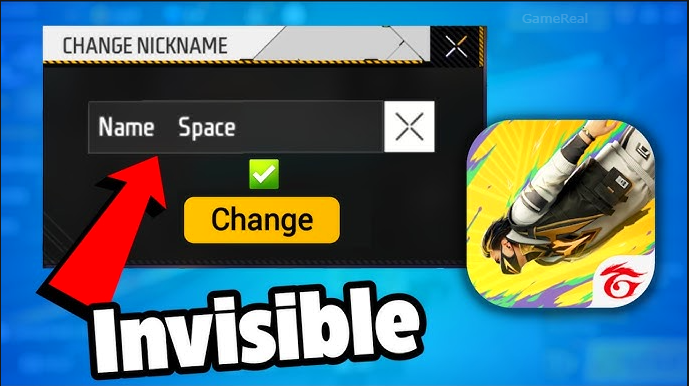
Free Fire Invisible Space 2026: How to Use
You open Free Fire MAX on your phone, tap your profile, and try to create a custom nickname. The game accepts normal text, symbols, and numbers, but every time you try to add a regular space — “Hello [space] World” — it either rejects the name or removes the space entirely. It feels like the game is hiding something from you, and after years of players using the same trick, many have started wondering if there is still a way to add that invisible gap in 2026.
The answer is yes. The Free Fire invisible space trick is still alive and working perfectly for most players. It lets you create names that look completely blank or have large gaps inside them, all without any third-party apps or risky mods. This guide explains exactly what it is, why it works in 2026, the best methods, and how to use it safely on both Free Fire and Free Fire MAX.
What Exactly Is Free Fire Invisible Space?
Free Fire invisible space is not a glitch or exploit. It is a clever use of Unicode characters that look completely invisible but are still accepted as valid text by the game. Garena blocks normal spaces (U+0020) in the nickname field because they make it harder for teammates and opponents to see names in the lobby and kill feed. To solve this, players use special invisible characters that the system treats as real letters.
The most popular and reliable option in 2026 is the Hangul Filler character, represented by U+3164. When you copy it (ㅤ), paste it into Free Fire, and save the name, the character appears as empty space to everyone else. Your name can look like “[invisible space]King[space]FF” or even a completely blank name if you use only these characters. The game counts it as text, so it passes validation and shows up correctly on your profile, in lobbies, and on leaderboards.
Other working characters include:
- Braille Blank (U+2800)
- Half-Width Hangul Filler (U+FFA0)
These create smaller or larger gaps depending on how many copies you use. The beauty is that they require no special software — just copying a single character from your phone or computer.
Why This Trick Still Works in 2026
Garena has made several updates over the years to fight name abuse, but they have not fully removed the invisible space method. The U+3164 character is still accepted because it is treated as a regular letter rather than a space. Many guides updated in July 2026 confirm that it works on Android (all versions) and iOS, on both Free Fire and Free Fire MAX, and even on the current OB54 build.
The only limitations are simple:
- The name must have at least one visible character (a single invisible character alone can sometimes be rejected as empty).
- You need a Name Change Card or 390 diamonds (first change) or 800 diamonds (every subsequent change) to save the new name.
- The total character count (including invisible ones) should not exceed the game’s limit of 20–30 characters.
If you follow these rules, the trick works reliably. Players in India, Brazil, Indonesia, and other regions still use it daily for guild tags, clan names, or just to stand out in the lobby.
The Best Methods in 2026
There are two main ways to use invisible space. Both are simple and require no extra tools.
Method 1: Direct Paste (Recommended for Beginners)
- Open your phone’s browser or Notes app.
- Go to any site that offers a Free Fire invisible space generator (search “Free Fire invisible space 2026”).
- Copy the U+3164 character (ㅤ) or the version you prefer.
- Open Free Fire MAX.
- Tap your profile icon (top left).
- Tap the pencil icon next to your current nickname.
- Paste the character where you want the gap.
- Add your visible text.
- Tap Save. You will be asked to confirm with 390 diamonds or a Name Change Card.
This method is the fastest and works on Android and iOS without any settings changes.
Method 2: Using a Dedicated Generator Tool Several websites now offer ready-made generators with copy buttons for single, double, or triple spaces. These tools are updated regularly for the current game version. They also let you preview how the name will look before you save it. Once copied, follow the same paste steps as above.
For larger gaps, simply copy the character multiple times. Five copies usually give a clean, noticeable space. You can even combine it with small visible characters (like a period or emoji) to create unique names that still appear almost empty.
Step-by-Step Guide on Android and iOS
On Android (most common for Free Fire players):
- Long-press on any text and select “Copy” to get the character.
- Paste directly into the Free Fire name field.
- The character count is automatically added to your total.
On iOS:
- Open the Notes app or Safari.
- Long-press and choose “Copy.”
- Paste into Free Fire.
- iOS usually handles the character count correctly.
Free Fire MAX Specific Note: Free Fire MAX uses the exact same name system as regular Free Fire. The trick works identically. You can change your name once in Free Fire and once in Free Fire MAX with the same account.
Common Uses Players Love
Guild leaders often place the invisible space between their tag and name to make it stand out without making the name too long. Players who get “nickname already taken” problems solve it by adding one or two invisible characters before or after their visible text. Some create completely blank names to avoid clutter in the lobby, while others use it to create “floating” names with small superscript letters below the invisible space.
The trick is also useful in ranked matches when you want to keep your identity hidden from casual players while still being able to communicate in voice chat or group messages.
Tips to Avoid Problems in 2026
- Always preview the name in the game before saving.
- Use at least one visible character if the name will be mostly invisible.
- Check the total character count — more than 20 invisible characters can cause issues.
- Update your game regularly so you stay on the latest OB build.
- Never use third-party apps or modified clients — they can lead to bans.
If your name is rejected, try adding a tiny period (.) or switching to the Braille Blank character (U+2800).
Is There Any Risk of Getting Banned?
No. Using Unicode characters like U+3164 is standard and allowed by Garena. It is not considered a cheat or exploit. Thousands of players use it safely every day in 2026. The game’s anti-cheat focuses on actual hacks, not name customization.
Final Thoughts
The Free Fire invisible space trick in 2026 is still one of the simplest and most effective ways to customize your nickname. With the Hangul Filler character U+3164, you can create names that look completely blank, have large gaps, or stand out in a sea of other players. All you need is a copy-paste method and a Name Change Card or diamonds.
Whether you want a clean guild tag, a mysterious blank name, or a way to make your ID unique without spending extra time typing, this trick delivers results every time. Open Free Fire MAX, copy the invisible space, paste it in, and watch your name transform from ordinary to eye-catching in seconds.
The community has been using this method successfully for years, and it remains fully supported in 2026. So go ahead, copy that character, and give your name the invisible treatment — your lobby will thank you.