
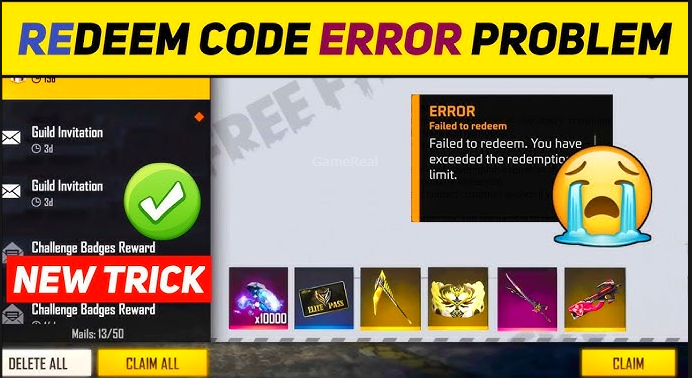
Free Fire MAX Redeem Code Not Working? 7 Fixes You Need to Try in 2026
Free Fire MAX is one of the most popular battle royale games, loved by millions for its dynamic gameplay and exciting in-game rewards. One of the best ways players get exclusive items, skins, and bonuses is through redeem codes. However, many users in 2026 have reported issues with Free Fire MAX redeem codes not working, leading to frustration. If you’re facing the same problem, you’re not alone.
This guide provides 7 effective fixes to help you troubleshoot and resolve issues related to redeem codes in Free Fire MAX. Whether you’re a casual player looking to claim rewards or a competitive gamer seeking that extra edge, these solutions are designed to get you back on track smoothly and quickly.
Understanding the Redeem Code System in Free Fire MAX
Redeem codes in Free Fire MAX are alphanumeric sequences that players can exchange for in-game rewards such as skins, characters, weapons, and more. These codes are usually released during special events, collaborations, or promotions by Garena, the publisher of Free Fire MAX.
Redeem codes are a great way to enhance your gameplay experience, but there are several reasons why a redeem code might not work. Understanding these reasons is key to solving the problem.
Why Are Free Fire MAX Redeem Codes Not Working?
Before diving into fixes, let’s look at the common causes why redeem codes might fail:
- Expired or invalid codes: Redeem codes have a limited validity period.
- Regional restrictions: Some codes are region-specific and won’t work outside designated servers.
- Account issues: Guest accounts or unlinked accounts cannot redeem rewards.
- Redeem limits: Daily or overall redemption limits might have been reached.
- Typographical errors: Incorrect input of codes results in rejection.
- Server or technical issues: High traffic or server-side problems can cause errors.
- Browser or app glitches: Cached data or outdated apps interfere with code redemption.
With these reasons in mind, let’s explore the 7 fixes that can help you troubleshoot these problems effectively.
Fix 1: Verify the Redeem Code’s Validity and Expiration
The first and most crucial step is to check whether the redeem code is still valid. Redeem codes are often time-bound, released during limited-time events or promotions. Once expired, these codes will no longer work.
How to check:
- Confirm the release date and expiration date of the redeem code from official Garena announcements or trusted sources.
- Avoid using codes from unofficial or third-party websites, as they may be fake or expired.
- Follow official Free Fire MAX social media channels and community forums to get updated, authentic codes.
Tip: Always try to redeem the code as soon as possible after release to avoid missing out.
Fix 2: Double-Check Your Redeem Code for Typographical Errors
Redeem codes are case-sensitive and require precise input. Even a small typo, such as a missing letter, incorrect capitalization, or swapped characters, can lead to an “Invalid Code” error.
How to avoid errors:
- Copy and paste the code directly from official sources instead of typing it manually.
- If you must type it, carefully verify each character.
- Pay attention to commonly confused letters and numbers like “O” (letter) vs. “0” (zero), “I” (uppercase i) vs. “l” (lowercase L).
Correct input is essential to successfully redeem your rewards.
Fix 3: Ensure Your Account Is Linked to a Supported Platform
Free Fire MAX rewards cannot be claimed with guest accounts. If you’re playing without linking your account, you will be unable to redeem codes.
Steps to link your account:
- Open the Free Fire MAX app.
- Navigate to Settings > Account.
- Link your game account to a supported platform such as Facebook, Google, Twitter, or VK.
- Log out and log back in to refresh your account status.
Account linkage not only secures your progress but also unlocks redeem code functionalities.
Fix 4: Check Regional Compatibility for Redeem Codes
Redeem codes are often region-specific and will only work on servers designated for that region. For example, codes released for the Indian server may not be valid on European or Southeast Asian servers.
How to verify:
- Confirm your current server region within the game.
- Verify the code’s intended region from official announcements.
- Avoid using codes from other regions unless you have switched your server accordingly.
If you’re playing on a different server, you will need to find codes specifically released for your region.
Fix 5: Be Mindful of Daily Redemption Limits
Free Fire MAX imposes limits on how many redeem codes you can use per day to prevent abuse and maintain game balance. If you try to redeem multiple codes in a short period, you might hit this daily cap.
What to do:
- Keep track of how many codes you’ve redeemed in a day.
- If you reach the limit, wait until the next day to redeem more codes.
- Plan your code usage strategically during major events.
Patience can help you avoid unnecessary errors related to redemption limits.
Fix 6: Clear Browser Cache and Use Supported Platforms for Redemption
Many players redeem Free Fire MAX codes through the official redemption website. Sometimes, browser cache, cookies, or incompatible browsers cause loading or submission errors.
How to fix:
- Clear your browser’s cache and cookies.
- Try redeeming codes using a different browser or device.
- Ensure you’re using the official redemption site: https://reward.ff.garena.com
- Avoid VPNs or proxy servers that might interfere with your connection.
If you are redeeming through the app, make sure it is updated to the latest version to avoid compatibility issues.
Fix 7: Wait and Retry During Server Maintenance or High Traffic
At times, redeem code servers undergo maintenance, or there’s a surge in traffic during major events, causing temporary disruptions.
What to do:
- Check official Free Fire MAX social media or support pages for announcements about server maintenance or downtime.
- Wait for a few hours and try again later.
- Avoid repeated attempts during peak times to prevent lockouts or further errors.
A little patience can go a long way when server issues are the cause.
Additional Tips for Redeeming Free Fire MAX Codes Successfully
- Use only official sources: Follow Garena’s official channels like Twitter, Facebook, and YouTube for authentic codes.
- Stay updated: Join Free Fire MAX communities on Discord and Reddit for real-time tips and code sharing.
- Avoid scams: Never share your account details or download redeem codes from suspicious websites to prevent hacks and fraud.
- Regularly update your app: Keep Free Fire MAX updated to access new features and bug fixes that could affect redeem code usage.
Conclusion: Redeem Code Issues Are Fixable with These 7 Solutions
Encountering issues with Free Fire MAX redeem codes not working is common, but it doesn’t have to ruin your gaming experience. By understanding the nature of redeem codes, following these 7 fixes, and staying informed through official channels, you can troubleshoot and resolve most problems effectively.
Whether it’s verifying the code’s validity, ensuring your account is linked, or clearing browser data, these practical steps are designed to help you claim your well-deserved rewards hassle-free.
Keep these tips handy for your next redemption, and enjoy all the exclusive skins, characters, and bonuses that Free Fire MAX has to offer in 2026!
Thank you for reading this detailed guide. If you have any questions or need further assistance, feel free to ask!