
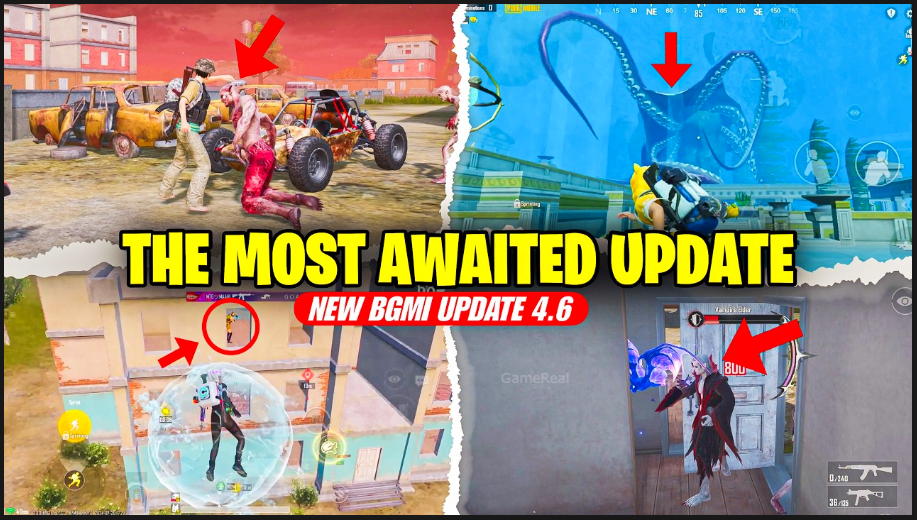
BGMI 4.6 Update: Settings You Should Check in 2026
BGMI version 4.6 is expected to arrive in mid-September 2026, following the usual gap after the global PUBG Mobile 4.6 release. Major updates almost always reset or alter certain defaults, add new toggles, and change how existing options feel. Taking ten to fifteen minutes to review your settings after installing 4.6 can prevent frustration in the first ranked sessions and help you adapt faster to any handling or interface changes.
This guide covers the most important categories to check once the update is live, with practical recommendations that work for most devices and playstyles in 2026.
1. Graphics and Frame Rate
New versions frequently adjust rendering, shadows, or effects. What felt smooth on 4.5 may look different after 4.6.
What to check:
- Style (Smooth, Balanced, HD, HDR, Ultra HDR)
- Frame rate (30 / 40 / 60 / 90 / 120 where supported)
- Anti-aliasing, shadows, effects, and auto-adjust options
Recommendation:
Prioritize stable frame rate over maximum visual quality. On most mid-range phones, Smooth or Balanced combined with the highest stable frame rate your device can hold produces better results in fights than higher graphics that drop frames. After the update, test in the training ground for a few minutes and watch for thermal throttling. If the phone heats up quickly, drop effects or shadows first.
Newer device models sometimes gain or improve 90/120 FPS support with major patches. Confirm whether your phone now offers a higher option and whether it remains stable in full matches.
2. Sensitivity (Camera, ADS, Gyroscope)
Weapon recoil feel and camera response can shift slightly with engine or netcode updates. Even if your old values still work, a quick review is worthwhile.
Key areas:
- Camera sensitivity (free look, TPP/FPP no-scope, and scoped camera values)
- ADS sensitivity for red dot, 2x, 3x, 4x, 6x, and 8x
- Gyroscope (if you use it) — both scope and no-scope values
Practical approach:
Load into the training ground and spray full magazines at different distances with your main weapons. If vertical recoil feels stronger or weaker than before, adjust ADS values in small steps (2–5%). Gyroscope users should re-test 3x–6x control, as these magnifications are the most sensitive to small changes.
Do not paste a random “no-recoil” code and jump straight into ranked. Spend at least one full training session confirming the new feel.
3. Controls and Layout
Version 4.6 is expected to continue the trend of quality-of-life control improvements seen in recent updates. Previous patches added in-match quick customization, vehicle layout sharing, and emote wheels.
Check these specifically:
- Button positions, sizes, and opacity (especially after any UI scaling changes)
- Peek fire, gyro switch, and crouch/prone options
- Vehicle control layout — new water vehicles such as the inflatable boat may benefit from a dedicated or adjusted layout
- Any new advanced toggles (cooperative climbing, quick emote wheel, etc.)
Tip:
Use the in-match long-press settings option if it is available to fine-tune without leaving a game. Save at least one backup layout before making big changes so you can revert quickly.
4. Audio Settings
Sound remains one of the biggest advantages in BGMI. Updates sometimes alter footstep volume, vehicle audio, or 3D spatial processing.
Review:
- Master volume and individual sliders (effects, UI, voice)
- Headphones vs speaker mode
- Any new audio enhancement or spatial sound options
Play a few casual matches focusing only on audio cues. Confirm that footsteps, reloads, and vehicle approach sounds are clear. If something feels quieter or louder than before, adjust the relevant slider rather than forcing yourself to re-learn the new levels in ranked.
5. Network and Performance Options
Major patches can change how the game handles matchmaking, packet priority, or background data.
Worth checking:
- Server preference and any new “expand matchmaking range” prompts
- Graphics auto-adjustment and battery-saving features
- Notification and background data permissions on your phone
If you notice higher ping or more frequent rubber-banding in the first days after the update, test different network conditions (Wi-Fi vs mobile data) and close background apps aggressively. Some updates temporarily increase data usage during the initial download and asset caching period.
6. New Mode and Feature Toggles
BGMI 4.6 is expected to bring the Midnight Hunters themed mode (hunter vs vampire style gameplay), a new inflatable boat, Classic Mode improvements, and various event systems.
After the update, look for:
- New mode-specific settings or tutorials
- Any toggles related to the new boat or water traversal
- Event or mission trackers that may clutter the HUD — adjust opacity or position if needed
- Royale Pass or other progression interfaces that may have new default layouts
Spend one or two matches in the new themed mode purely to understand its rules and UI before treating it as serious practice.
7. Accessibility and Quality-of-Life Options
Recent BGMI versions have added more ways to customize the interface. After 4.6, confirm:
- Color-blind modes or hit marker options
- HUD scaling and safe area settings (especially on phones with unusual aspect ratios or notches)
- Quick chat and marking preferences
- Any new “hide UI” or content-creator oriented toggles
These options rarely affect mechanical skill, but they reduce friction and make long sessions more comfortable.
Recommended Post-Update Routine
- Install the update and let all assets finish downloading.
- Open settings and photograph or note your current sensitivity and layout values.
- Test graphics and frame rate in the training ground for thermal and stability behavior.
- Re-check sensitivity with your most-used weapons.
- Adjust controls and audio if anything feels off.
- Play two or three casual or custom matches before entering ranked.
- Revisit settings after your first full day of play — small issues often become clearer after several games.
Final Thoughts
The BGMI 4.6 update will introduce new content and the usual round of optimizations and balance changes. The settings that matter most are the ones that protect frame rate stability, keep your aim consistent, preserve clear audio, and let you use any new vehicles or modes comfortably.
Taking a short, structured pass through graphics, sensitivity, controls, audio, and network options after installing 4.6 prevents the common experience of dropping ranked matches while fighting both opponents and unfamiliar handling. Once your basics feel solid again, you can focus on learning the new themed mode, the inflatable boat, and whatever else 4.6 brings without unnecessary technical distractions.
Check the in-game patch notes on the day of release for any brand-new toggles, then apply the checklist above. A few careful minutes in the settings menu will make the first week of the new version noticeably smoother.