
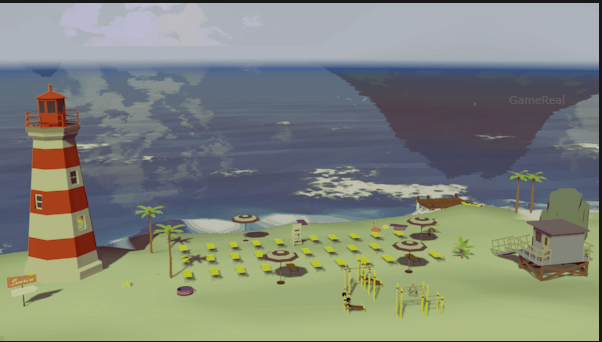
Empluna Demo 0.1.3: How the New Building Tools Fix Earlier Problems
Empluna Demo 0.1.3 is a substantial usability update for the sandbox city-building game, with changes focused on road construction, editing tools, interface design, and terrain generation. The update is now available in the public demo, and its main purpose is to address problems players identified during the demo’s earlier appearance at Steam Next Fest in June 2026.
The biggest changes target three frustrating parts of the previous experience: road building could feel unnecessarily fiddly, mistakes were difficult to reverse, and the interface could become cluttered while working on a city. Version 0.1.3 introduces redesigned road-building behaviour, undo and redo support, clearer building menus, improved object manipulation, and several changes to the game’s world and underlying systems.
These improvements matter because a city builder needs to make experimentation comfortable. Players should be able to reshape a neighbourhood, adjust a road junction, or move a building without fighting the controls every time something goes wrong.
However, the update should not be mistaken for the full release of Empluna. The game remains listed as coming soon on Steam, and version 0.1.3 is an update to its public demo. The developer’s patch notes describe the intended changes, but they do not establish that every usability problem has been eliminated in every situation.
What Is New in Empluna Demo 0.1.3?
The developer’s October 2026 announcement and official Steam release notes describe a broad update rather than a small collection of isolated bug fixes.
The main improvements include:
- Reworked road construction with terrain adjustment and improved junction snapping.
- Undo and redo support for several building and editing operations.
- More predictable road curves and fixes for road-section editing.
- Better controls for rotating buildings and managing building plots.
- Improved conveyor-belt placement and connections between roads and conveyors.
- Redesigned menus, icons, tooltips, and movable interface windows.
- Revised terrain generation, coastlines, rivers, and nighttime lighting.
- Five Steam achievements and support for Steam Cloud synchronisation.
- Tutorial improvements, translation fixes, and performance-related changes.
Not every change affects every player equally. Someone who spends most of their time designing road layouts may benefit most from the construction improvements, while a player who regularly rearranges buildings may find undo support and rotation controls more useful.
The important question is how these changes affect the process of building and editing a city.
1. Road Building Gets the Most Important Changes
Road construction is central to a city builder because roads determine how players organise their settlements and connect buildings. When road placement is awkward, even a simple layout can require more corrections than expected.
Empluna 0.1.3 addresses several specific problems with its road system.
Terrain adjusts around newly placed roads
The updated road-building system reshapes the terrain around roads as they are laid. The developer’s notes also describe improvements involving junctions, moved existing roads, and tunnels.
This matters because roads rarely run across perfectly flat ground in a developing city. A road may cross a slope, approach a building, or meet another road at an angle. If the terrain does not adapt appropriately, players can end up with awkward transitions or additional work to make the surrounding landscape fit.
Automatic terrain adjustment is intended to reduce that manual work. Instead of treating road placement and terrain editing as completely separate tasks, the updated system makes them interact more closely.
That does not mean every possible road layout will automatically look ideal. Complex intersections, uneven landscapes, and unusual construction plans may still require adjustment. The improvement is that the game now provides more assistance during road placement.
Junctions can connect to multiple aligned points
The updated snapping system can connect a junction to multiple correctly aligned snapping points rather than limiting the connection to a single point. A preview also helps players see what the game intends to build.
This is a meaningful change for layouts involving several roads. A junction often needs to connect multiple approaches, and a snapping system that recognises only one suitable connection can make precise construction unnecessarily difficult.
The preview is particularly useful because it gives players a chance to inspect the proposed result before committing to it. Instead of repeatedly placing a junction and correcting it afterward, players can use the visual feedback to make a more informed placement decision.
For players who prefer organised road networks, the combination of improved snapping and previews should make complex connections easier to plan.
Road curves have additional safeguards
The update introduces limits on spline angles to prevent extremely sharp, undriveable road curves. It also fixes twisted road sections and several problems involving road editing and terrain smoothing.
These fixes address different aspects of the same problem: a road should remain manageable after it has been created.
For example, a player might adjust an existing road to accommodate a new building or redesign an intersection as the city expands. If the edited road twists unexpectedly or produces a poor connection, the correction can create more work than the original change.
The revised behaviour is intended to make those editing operations more predictable. Angle limits also help prevent the construction of curves that the game identifies as too extreme.
Players should still inspect unusual bends and junctions, particularly when making complicated changes to an existing network. The patch notes establish the intended improvements, but they do not provide independent testing results for every possible road configuration.
Road splitting behaves more consistently
The developer has also fixed a problem in which splitting a road could incorrectly apply the selected road type, material, or traffic settings to both resulting sections.
This is important when modifying only part of an established layout. If splitting a road changes properties that the player did not intend to change, a small editing operation can create additional corrections.
The fix is designed to make road splitting behave more consistently with the player’s selection. Combined with the other road improvements, it should reduce the number of adjustments needed when revising an existing city.
2. Undo and Redo Make Experimentation Less Risky
One of the most useful additions in Empluna Demo 0.1.3 is undo and redo support.
The developer documents Ctrl+Z as the shortcut for undoing supported operations. The available undo functionality covers several categories, including terrain editing, object manipulation, roads, junctions, walls, and building-part colouring.
Supported actions include:
- Shaping and texturing terrain.
- Placing, deleting, moving, rotating, and scaling objects.
- Building, deleting, moving, and reshaping roads and junctions.
- Building, deleting, and reshaping walls.
- Rebuilding walls and colouring building parts.
This is more significant than a convenience shortcut. Creative construction games encourage players to experiment, but experimentation becomes frustrating when mistakes are expensive to reverse.
Imagine reshaping a patch of terrain and discovering that it no longer suits the building you planned to place there. Or imagine adjusting a road junction only to find that the resulting layout does not work with the rest of the network.
Without a suitable undo function, players may need to repeat the editing process manually. With undo support, a supported mistake can be reversed more directly.
How to use the new undo system
For supported editing operations, the practical workflow is straightforward:
- Make the terrain, road, object, wall, or colouring change.
- Inspect the result before continuing with more construction.
- If the change is incorrect, use Ctrl+Z to undo it.
- If the result is acceptable, continue editing the surrounding area.
- Use the available redo functionality when you need to restore an undone operation.
The exact behaviour of redo and the history available for a particular sequence should be checked in the current demo. The release notes confirm undo and redo support, but they do not establish every possible history limit or interaction.
It is also sensible to save important work rather than relying exclusively on undo. Undo support is valuable for supported editing actions, but it should not be treated as a replacement for saving a project.
For new players, the biggest benefit is freedom to test different approaches. Instead of treating every placement as a decision that must be correct immediately, players can make changes, inspect them, and reverse supported mistakes.
3. Building Rotation and Plot Editing Are More Flexible
Roads are only one part of city construction. Building placement also needs to be predictable, especially when players are working within limited spaces or trying to create a consistent layout.
Version 0.1.3 improves several building and object-editing controls.
More precise rotation
The update makes rotation easier through a control that allows players to hold a key and move the mouse. A yellow angle arc provides visual feedback, while Ctrl enables snapping in increments of 11.25 degrees.
These controls offer two different approaches to placement.
Free rotation is useful when a building needs to fit an unusual space or align with an irregular road. Angle snapping is more suitable when a player wants a repeatable orientation for multiple structures.
For example, a planned industrial area may benefit from buildings that face a consistent direction. Snapping helps establish that consistency without requiring the player to estimate every angle manually.
The yellow angle arc also provides a clearer visual indication of rotation. That feedback helps players judge the orientation while making the adjustment rather than relying entirely on memory or trial and error.
Building plots retain their interior layouts
The developer has also made building plots rotatable while preserving their interior layouts relative to the rotation. Existing saves are automatically migrated for this change.
This is useful because rotating a plot should not unnecessarily disrupt the arrangement associated with it. If the layout remained fixed in the wrong orientation, rotating the plot could create an additional editing task.
Preserving the relative interior arrangement is intended to make plot rotation more practical. The automatic migration of older saves is also relevant to players returning to an existing project, as it indicates that the change is designed to accommodate previously saved layouts.
Nevertheless, players should keep normal save backups for important projects, particularly when using an evolving demo that may receive further changes.
Terrain can adapt to placed objects
The patch notes also describe terrain deformation to match placed objects. This complements the improvements to road construction by making object placement interact more closely with the surrounding landscape.
The practical aim is to reduce mismatches between constructed objects and the terrain beneath them. The result should be a more coherent building process, although the release notes alone do not prove that every placement produces a perfect fit.
4. Conveyor Belts and Connections Receive Attention
Empluna’s construction systems extend beyond buildings and roads. Conveyor belts are another part of organising production and connecting elements of a settlement.
The 0.1.3 update adds a way to move conveyor belts vertically using Shift while dragging a spline. The patch notes also describe magnetic snapping between road and conveyor spline endpoints.
These changes address two practical tasks: adjusting height and connecting endpoints.
Vertical adjustment is useful when a conveyor needs to occupy a different elevation from its existing path. A dedicated modifier gives players a more direct way to make that change during editing.
Endpoint snapping, meanwhile, is intended to help roads and conveyor connections align with each other. When separate construction systems meet, precise endpoint placement can otherwise become a repetitive task.
The update also improves how procedural buildings recognise entrances and destinations and connect to the path network. This is relevant because a constructed building is more useful when the game’s underlying movement and connection systems can recognise how it should interact with the surrounding layout.
Together, these changes suggest a broader effort to make different construction tools work more consistently with one another, rather than improving road placement in isolation.
5. The Interface Has Been Redesigned to Reduce Clutter
A construction system can be powerful but still difficult to use if its menus and controls are confusing. Empluna 0.1.3 includes a series of interface changes intended to make the available tools easier to navigate.
The build menu now has clearer categories that can be collapsed. The game also uses a new unified icon set and more consistent tooltips.
These changes address different sources of confusion.
A clearer menu structure helps players locate the appropriate construction category. Collapsible sections make it easier to manage the number of visible options. Consistent icons can help players recognise related actions, while reliable tooltips provide additional information when an icon or control is unfamiliar.
The update also allows interface windows to be moved and maximised, including the day-and-night window. That gives players more flexibility in arranging the information they need while building.
The main menu has been redesigned with a terrain preview, and biome and playstand selection have been rebuilt with resource filters, selection panels, and dropdowns.
These are usability improvements rather than new city-building mechanics. Their value depends on whether players can find relevant controls more quickly and organise the interface in a way that suits their work.
The release notes also mention fixes for settings sliders, audio volume handling, and a bug involving maximised panels. Such changes may appear minor compared with road construction, but interface inconsistencies can repeatedly interrupt normal play.
6. Terrain, Rivers, and Nighttime Lighting Have Been Improved
The update also changes the appearance and generation of the game world.
The developer lists erosion-shaped ridgelines, improved coastlines, procedural rivers, a reworked horizon, and changes to distance fog. Built-up areas are also brighter at night.
Terrain generation influences more than appearance. Ridgelines and coastlines help determine the visual character of a map, while rivers and other landscape features can shape the spaces available for construction.
Improved terrain can therefore support more varied-looking environments, although the patch notes do not establish that every generated world will have a particular layout or level of complexity.
The revised horizon and distance fog affect how the world appears beyond the immediate construction area. Nighttime lighting changes are intended to make developed areas brighter, giving built-up locations a different visual character after dark.
These improvements are best understood as changes to the world presentation and generation systems. They may make the environment more appealing, but they should not be confused with verified improvements to city simulation depth or economic balance.
No independent graphical benchmark or detailed performance comparison is provided in the release notes, so it would be premature to claim a specific frame-rate improvement from these visual changes.
7. Tutorials and Performance-Related Fixes Round Out the Update
The patch goes beyond construction tools and visual presentation.
The introductory tutorial has been rewritten and re-recorded. Additional tutorial steps cover rotating objects, repositioning them, and adjusting conveyor-belt height.
These additions are directly relevant to the new controls. A tool is more useful when players can discover how it works without having to guess the correct input.
The update also includes corrections to more than 180 text lines across German, English, French, and Spanish, along with a fix for a problem that prevented some translations from loading.
On the technical side, the developer lists lower memory usage when loading a save, a slimmer main menu intended to start faster, and rendering optimisations involving shared renderers across levels of detail. The game has also switched to Unity’s official AI Navigation package for more stable pathfinding.
These are developer-documented technical changes, but the available notes do not supply controlled benchmarks. The update therefore supports saying that memory use, startup, rendering, and pathfinding received attention—not that every computer will experience a specific speed increase or that all pathfinding issues have been resolved.
The demo also adds five Steam achievements. Steam Cloud synchronisation has been adjusted to respect the player’s cloud settings.
For players who use Steam features, these additions improve the demo’s platform integration. They are useful supporting changes, although they are not the central reason to revisit the construction systems.
Should You Try Empluna Demo 0.1.3?
The update is most relevant to players who previously found road placement, editing, or interface navigation frustrating. Its improvements target identifiable construction problems rather than relying only on new visual content.
Consider trying the updated demo if you want to:
- Build road junctions with improved snapping and placement previews.
- Adjust terrain and road layouts with less manual correction.
- Experiment with construction while undoing supported mistakes.
- Rotate buildings and plots more precisely.
- Adjust conveyor-belt height and connect construction endpoints.
- Explore the revised menus, tooltips, and tutorials.
Players mainly interested in a finished city-building experience should remember that Empluna remains an upcoming full release. The public demo provides a way to evaluate the current systems, but it should not be treated as evidence that the complete game is finished or that every planned feature is available.
A useful way to assess the update is to focus on the tasks that previously caused difficulty. Try placing a road across uneven terrain, connecting a multi-road junction, splitting an existing road, rotating a building plot, and undoing a supported editing mistake. These exercises help you judge whether the revised controls suit your preferred building style.
That approach is more informative than judging the update solely by its feature list. The patch notes describe what the developer changed; your own experience with the current demo will determine whether those changes address the problems that mattered to you.
What Empluna Demo 0.1.3 Does—and Does Not—Confirm
The update clearly documents a broad set of construction, interface, world-generation, and technical changes. It also demonstrates that the developer has responded to feedback from the earlier demo.
However, several questions remain open. The published notes do not provide independent measurements of performance gains, prove that all road configurations work correctly, or establish that every earlier usability concern has been resolved. They also do not provide a basis for treating the demo update as the full game’s release.
Those distinctions matter when deciding what to expect. Empluna 0.1.3 is a concrete update to the public demo, not a guarantee of a finished experience.
Final Verdict
Empluna Demo 0.1.3 focuses on making city construction more manageable. Improved road snapping, terrain adjustment, undo and redo support, building rotation, conveyor-belt controls, and a redesigned interface all target practical aspects of building and editing a settlement.
The road system and undo functionality stand out because they address two recurring sources of friction: getting construction to behave as intended and correcting mistakes without repeating large amounts of work. The tutorial, interface, and world-generation changes support that broader effort.
The next step for interested players is to test these systems in the current public demo and see how they behave in real construction scenarios. The official notes provide a clear account of the intended improvements, but only further testing can establish how consistently those improvements work across different layouts and play sessions.
For anyone who dismissed Empluna because its earlier building tools felt awkward, version 0.1.3 gives the demo a stronger reason to revisit it. The full release remains a separate milestone, and the quality of the finished game will depend on how well these improvements hold up as development continues.