
Free Fire PC Download 2026: Safe Guide
If you have ever tried to play Free Fire on a bigger screen with a mouse and keyboard, you know the feeling: the comfort, the precision, the satisfaction of landing a headshot from across the map. In 2026, thousands of players still dream of that exact experience, but the question always remains the same: is there a safe way to download Free Fire for PC?
The answer is surprisingly simple and completely safe. Garena has never released a native PC version of Free Fire or Free Fire MAX. However, there is an official, reliable way to play it on your computer using Android emulators. These tools run the mobile game exactly as it was meant to be played, but with the added benefits of a full-sized screen, mouse and keyboard controls, and much smoother performance.
In this complete guide, we will walk you through everything you need to know in August 2026. We will cover the safest emulators, the step-by-step installation process, why certain emulators work better than others, and — most importantly — how to avoid the scams and malware that flood the internet every day. Whether you have a high-end gaming PC or a modest laptop, this guide will help you get Free Fire running on your computer safely and smoothly.
Why Players Choose Free Fire PC in 2026
Many players ask the same question: why bother with PC when I can play on my phone? The reasons are simple and powerful.
First, the mouse and keyboard give you a huge advantage in aiming and positioning. In Free Fire, precise headshots and quick rotations make all the difference. On PC, you can use custom key mappings, higher FPS, and a bigger view to dominate matches.
Second, the bigger screen makes the game far more enjoyable. You can see the entire map, spot enemies from farther away, and enjoy the vibrant graphics without zooming in constantly.
Third, emulators allow you to play multiple accounts at once. Many players run three or four Free Fire accounts on different instances of the same emulator — something that would be impossible on a phone.
Fourth, the experience feels premium. Emulators like GameLoop are optimized specifically for Free Fire and other Garena games, giving you better performance and fewer lags compared to running the mobile version on a PC.
In short, Free Fire on PC is not a shortcut to cheating. It is simply the best way for millions of players to enjoy the game in 2026.
The Safest Emulators for Free Fire in 2026
Garena does not approve any emulator, but several are safe and well-supported. Here are the top choices right now:
1. GameLoop (Best for Free Fire) Developed by Tencent (the makers of PUBG Mobile), GameLoop is the top recommendation for Free Fire players. It is officially supported by Garena in many regions, runs smoothly even on low-end PCs, and includes a built-in Google Play Store. In 2026, GameLoop with Compatibility Mode (No-VT) is the best option for players without virtualization support.
2. BlueStacks 5 The most popular and user-friendly emulator. It offers excellent key mapping, high FPS, and a clean interface. BlueStacks is perfect for players who want multi-instance support and a huge library of games.
3. LDPlayer 9 Excellent for competitive players. It supports high FPS (up to 120+), custom key mapping, and is lightweight. LDPlayer is especially good for low-end PCs and offers multi-drive support for multiple accounts.
4. MuMu Nebula & NoxPlayer Great alternatives if you want something lightweight. MuMu is fast and stable, while NoxPlayer works well on older hardware.
These four emulators are all free, available only from official websites, and widely used in 2026 without any reported issues with Garena’s anti-cheat system.
Step-by-Step Safe Guide to Download and Install Free Fire on PC
Follow these steps carefully and you will have Free Fire running on your computer in under 10 minutes.
Step 1: Choose Your Emulator Visit the official website of the emulator you want to use (gameloop.com for GameLoop, bluestacks.com for BlueStacks, etc.). Never download from random links.
Step 2: Download the Installer Click the big blue “Download” or “Get Started” button. The installer is usually around 500–800 MB. Run the file after it finishes downloading.
Step 3: Install the Emulator Double-click the installer and follow the simple on-screen instructions. The process takes 1–2 minutes.
Step 4: Open the Emulator Launch the emulator. You will see a home screen with a search bar.
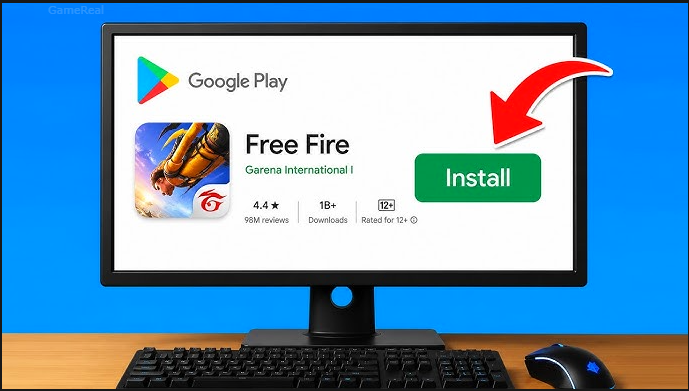
Step 5: Install Free Fire Type “Free Fire” in the search bar and click the Install button. The game will download automatically (around 1.5 GB).
Step 6: Log In Use the Google or Facebook account you normally use on your phone. This links everything to your real progress.
Step 7: Customize Controls (Optional but Recommended) Go to Settings > Controls and set up keyboard and mouse shortcuts. Many players use WASD for movement and mouse for aiming. You can also enable auto-reload and other features.
Step 8: Play Click Play and enjoy Free Fire on your big screen. You can now use the mouse freely, play with higher FPS, and even record matches easily.
That’s it! You are now playing Free Fire on PC safely and officially.
Why These Emulators Are Safe in 2026
Garena allows emulators as long as you do not modify the game files. All the emulators mentioned above are official and safe. They do not contain malware, do not steal your account, and do not trigger Garena bans.
In fact, many top players in 2026 use GameLoop or BlueStacks to compete in ranked matches and Clash Squad without any issues. The anti-cheat system focuses on actual cheats, not emulators.
Best Emulators Compared (August 2026)
| Emulator | Best For | RAM Requirement | FPS | Key Mapping | Multi-Instance | Price |
|---|---|---|---|---|---|---|
| GameLoop | Free Fire + BGMI | 4 GB+ | 60+ | Excellent | Yes | Free |
| BlueStacks 5 | Overall + Beginners | 4 GB+ | 60+ | Very Good | Yes | Free |
| LDPlayer 9 | Competitive Play | 4 GB | 120+ | Excellent | Yes | Free |
| MuMu Nebula | Low-End PCs | 3 GB | 50+ | Good | Limited | Free |
| NoxPlayer | Multiple Accounts | 4 GB | 60+ | Good | Yes | Free |
GameLoop and BlueStacks are the most popular choices for Free Fire players in 2026.
Tips to Play Free Fire Better on PC
Once you are set up, use these tips to improve:
- Use mouse for precise aiming and headshots.
- Create custom key bindings for faster movement.
- Run the emulator in Fullscreen mode for the best experience.
- Use GameLoop’s built-in macros if you want to practice.
- Play in a comfortable chair and adjust your monitor for the best view.
Many players say they play better on PC because they can see the whole map at once and react faster.
Common Questions About Free Fire PC Download
Is there an official PC version of Free Fire? No. Garena does not have a native PC version. You must use an emulator.
Will using an emulator get my account banned? No. Emulators are allowed and safe. Garena only bans actual cheats.
Can I play Free Fire on low-end PCs? Yes. GameLoop with Compatibility Mode and MuMu Nebula work well on machines with 4 GB or less RAM.
Do I need to pay for any emulator? All the recommended emulators are completely free.
Can I play Free Fire MAX on PC? Yes. Just search for “Free Fire MAX” in the emulator and install it.
Final Thoughts
Free Fire PC Download in 2026 is completely safe and extremely rewarding when done the right way. There is no need to download risky APKs or use shady websites. Simply choose one of the official emulators (GameLoop, BlueStacks, or LDPlayer), follow the simple steps above, and you will be enjoying Free Fire on your computer in minutes.
The experience is smoother, the controls are better, and the graphics look sharper. Whether you are a casual player or a competitive grinder, playing Free Fire on PC is one of the best ways to improve your skills and have more fun.
So the next time you sit down at your computer, open your preferred emulator, search for Free Fire, and start playing. The battlefield is waiting on your PC — and it is waiting for you.
Your account stays safe, your progress is protected, and your enjoyment is guaranteed. The best part? You can now enjoy Free Fire like a pro on the biggest screen in your house.
Ready to get started? Grab your emulator, follow the steps, and log in. The next BOOYAH is just a mouse click away. Enjoy the game, play fair, and remember — the real power in Free Fire comes from how you play, not from any external tools. Happy gaming!