
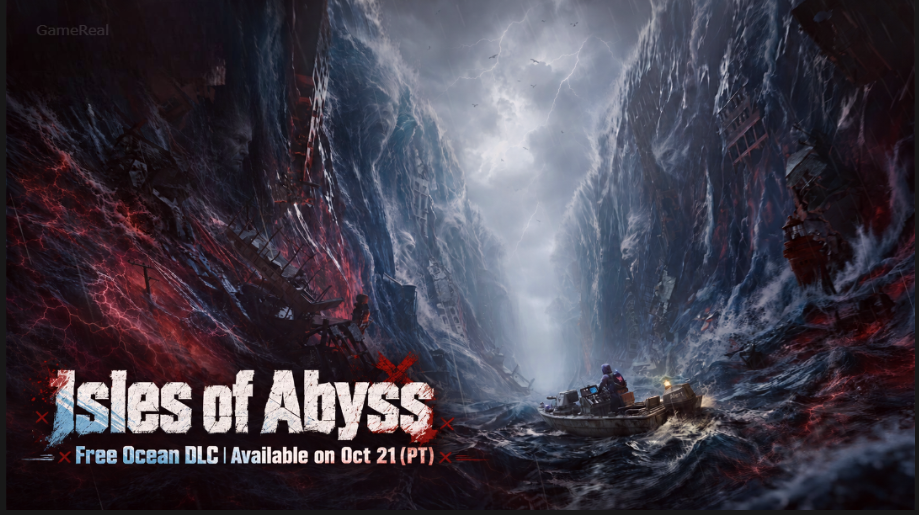
Once Human: How to Join Isles of Abyss Servers
Once Human’s new survival scenario, Isles of Abyss, is opening with separate servers for its ocean-themed PvE adventure and its PvP-focused RaidZone mode. If you want to start playing, join friends, or move an existing character into the new scenario, choosing the correct entry method matters.
The developers confirmed that Isles of Abyss servers open after the October 21, 2026, Pacific Time update. For players in India and other regions ahead of the Americas, the local calendar date may be October 22. Servers become available after the update rather than through advance sign-ups, so check the in-game server list for actual availability.
This guide explains how to enter Isles of Abyss with a new character, transfer an eligible existing character, join friends on the same server, and access RaidZone without choosing the wrong mode.
How to Join Once Human: Isles of Abyss Servers
There are several ways to enter the scenario. Choose the route that matches your current character and whether you want to preserve your existing scenario progress.
| Your situation | Entry method |
|---|---|
| You want to keep your current scenario character where it is | Create a new character and select Isles of Abyss |
| Your existing character is eligible to move to a new scenario | Use the scenario sign-up interface |
| You want to play with friends | Coordinate the server choice or form a Scenario Squad |
| Your friend’s server is already full | Ask for their Special Invitation Code |
| You want the PvP version | Switch to RaidZone mode and select an Isles of Abyss: RaidZone server |
The most important distinction is between creating a new character and moving an existing one. These routes have different consequences for character progression.
Method 1: Join Isles of Abyss With a New Character
Creating a new character is the route to consider if you want to experience Isles of Abyss without moving your current character out of its existing scenario.
Follow these steps:
- Launch Once Human after the relevant version update is available.
- Start creating a new character.
- Complete character creation and follow the applicable new-player flow. The official server-entry instructions specify skipping the New Player Experience for the direct new-character route.
- Open the Scenario Selection interface.
- Select Other Scenarios.
- Find an available Isles of Abyss server.
- Select the server and enter the scenario.
The exact server list may differ by region and can change as the developer opens additional servers.
Why choose this method?
A new character lets you enter the new scenario without signing your existing character out of its current scenario. This is useful if you still want to continue playing with your established character elsewhere.
However, you should not assume that the new character automatically inherits all your existing character’s progress. Character-specific progression and data are separate from the shared account or cross-character systems described by the developer.
If you want to continue with your established character, review the transfer method below before creating another character solely to access the new scenario.
Method 2: Transfer an Existing Character to Isles of Abyss
Players who already have characters in Once Human can use the scenario sign-up system when their character becomes eligible.
The developer’s instructions specify this route for characters whose current scenario has entered its Rest Period.
Steps to sign up
- Log in with the character you want to move.
- Open the Menu.
- Select Scenario.
- Choose Go to Sign Up.
- Open the scenario sign-up interface.
- Select an available Isles of Abyss server when sign-up is available.
- Review the scenario transfer details before confirming your choice.
If the sign-up option is unavailable, check your character’s current scenario status and whether the scenario’s sign-up system has been enabled. Do not assume that every character can transfer immediately.
What happens to your character after transferring?
This is the most important detail to understand before confirming a move.
According to the developer, the character’s level, supplies, and other scenario-specific data undergo scenario settlement and restart in the new scenario. Cross-character shared data, including Character Cosmetics, Blueprint Level, and Mod Level, are not settled or cleared by this process.
In practical terms, moving an existing character is not the same as continuing the same scenario with all its current progression intact.
Before signing up, consider whether you are ready for the new scenario’s progression reset. If you still want to finish activities in your current scenario, review your remaining goals before transferring.
How to Join the Same Isles of Abyss Server as Your Friends
Choosing the same scenario is not enough if you and your friends select different servers. Agree on the server before entering so that everyone follows the same route.
Option A: Select the same server manually
If you and your friends are entering separately:
- Contact your friends and agree on an Isles of Abyss server.
- Open Scenario Selection.
- Select More Servers.
- Find the server you agreed on.
- Select that same server when entering.
Do not rely only on the server name shown in a friend’s screenshot without checking the region and mode. In particular, make sure everyone is choosing Isles of Abyss PvE rather than Isles of Abyss: RaidZone.
Option B: Form a Scenario Squad before signing up
The developer also provides a team-up platform for forming a Scenario Squad before entering a new scenario.
The documented process is:
- Open Menu → Scenario → Sign Up Interface.
- Use the team-up platform to form a squad with your friends.
- Make sure each participating character is eligible to join a Scenario Squad.
- Once the servers open, have the squad leader sign up for an Isles of Abyss server.
- Follow the sign-up process for the squad.
The developer says squad members who successfully sign up through this system are guaranteed to enter the same server.
There are eligibility restrictions. The character’s sign-up system must be enabled, and each character can belong to only one Scenario Squad. A character with a permanent-server merge reservation may need to cancel that reservation before joining a squad.
If a character on a permanent server cannot join the squad, the developer’s notice also recommends leaving the Hive before trying again. The notice identified this as an issue being fixed, so the exact behaviour may change with subsequent updates.
How to Join a Full Isles of Abyss Server
If your friend has already entered a server and it has filled up, the developer documents another option: a Special Invitation Code.
Your friend can find the code through the following menu path:
Player Info → Special Invitation Code
Ask your friend to share the code with you, then follow the in-game process for entering the server with that invitation.
This option is particularly useful if you want to join friends who have already started playing and their server is no longer accepting ordinary entries.
Do not assume that every full server can be entered without restrictions. Follow the current in-game invitation instructions, and check whether the code is valid for the character and server you are trying to access.
The developer also says additional servers may open depending on remaining capacity and server performance. If you cannot enter your preferred server, check the available server list again before deciding that the scenario is unavailable in your region.
How to Join Isles of Abyss: RaidZone
Isles of Abyss and Isles of Abyss: RaidZone are separate entry options. If you specifically want the RaidZone experience, selecting the ordinary Isles of Abyss server will not accomplish that.
Use this process:
- Open the Once Human character sign-in screen.
- Find the mode selector in the upper-left corner.
- Switch the mode to RaidZone.
- Select the corresponding Isles of Abyss: RaidZone server.
- Enter the server when it is available.
The official opening announcement lists regional RaidZone servers and says that additional servers may be opened according to server performance. Servers carrying the Console prefix are exclusive to console players.
Can console players invite friends?
The developer specifically states that Xbox players can invite friends to their Isles of Abyss server through the console’s friend list.
At the time of the announcement, the equivalent feature for PS5 was still in development. Do not assume the PS5 invitation feature is available unless a newer official notice confirms its release.
If you and your friends are playing on different platforms, check the current platform-specific options and server compatibility before choosing your entry route.
Isles of Abyss Server Availability and Regional Differences
The initial server-opening plan differs by region.
| Region group | Initial Isles of Abyss PvE servers |
|---|---|
| North America and Europe | Four servers |
| South America, Japan, Korea, Southeast Asia, and Hong Kong, Macau and Taiwan | Two servers |
These are the initial server counts in the developer’s published schedule, not a limit on the total number of servers. Additional servers may be opened as needed.
The official announcement also confirms that Isles of Abyss has 12 worlds per server. A server and a world are not interchangeable terms, so read the in-game selection carefully when coordinating with friends.
The scenario launches without a Vision Tag. The developer says the Vision World for Isles of Abyss servers will open later alongside the Season 5 Vision release.
A permanent server is also planned. The latest server-opening announcement lists its expected opening as November 18, 2026, Pacific Time. Because this is a future schedule, check for a newer official announcement before relying on that date.
Troubleshooting: Why Can’t I Join Isles of Abyss?
If the scenario does not appear or the entry process fails, work through the relevant checks below.
Isles of Abyss does not appear in the server list
First, make sure the version update has been installed and the servers have actually opened in your region. The published schedule says entry becomes available after the update, not before it.
Restart the game if necessary, then check the scenario selection interface again. The developer advises players to check in-game for actual server-opening times.
The sign-up option is unavailable
If you are trying to move an existing character, check whether its current scenario has reached the appropriate stage and whether the sign-up system is enabled for that character.
A character that cannot use the sign-up system may also be ineligible for Scenario Squad entry. Creating a new character and entering through the separate scenario-selection route is an alternative if you do not want to move your existing character.
Your friends entered, but you cannot find their server
Ask your friends to confirm the exact server name and mode. Then open Scenario Selection → More Servers and look for the same server.
If the server is full, ask whether your friend can provide a Special Invitation Code. If you are trying to join as a squad, check that each character is eligible and has not already joined another Scenario Squad.
You selected RaidZone by mistake
Return to the character sign-in screen and check the mode selector in the upper-left corner. Switch to the mode you actually intend to play before selecting a server.
Isles of Abyss PvE and Isles of Abyss: RaidZone are distinct choices, so choosing the correct mode is essential.
The server is unavailable even after the update
Do not assume that the advertised launch date guarantees that every regional server is already open at the time you check. The developer says server availability can depend on the update and that additional servers may be added according to capacity and performance.
Check the current in-game server list and the latest official server announcement before trying a different region or making changes to your character.
Which Entry Method Should You Choose?
Use the new-character route if you want to preserve your current character’s participation in its existing scenario. Use the sign-up route if your established character is eligible and you understand the progression settlement that occurs when moving to Isles of Abyss.
If playing with friends is your priority, agree on a server before entering or form an eligible Scenario Squad. If that server fills up, investigate the Special Invitation Code option. For PvP, switch to RaidZone explicitly rather than selecting the standard PvE scenario.
The safest approach is to confirm your intended mode, server, and character before committing. Those three choices prevent the most consequential entry mistakes: joining the wrong server, entering the wrong mode, or moving a character before you are ready for scenario settlement.