
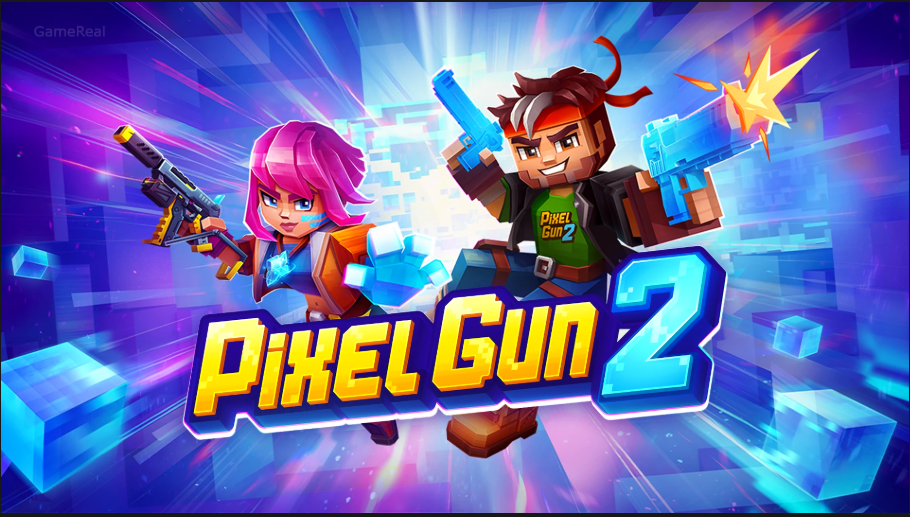
Pixel Gun 2 Mobile Release Date & Download Guide 2026
Pixel Gun 2, the long-awaited sequel to the popular voxel-style shooter Pixel Gun 3D, is now available on mobile devices. After months of pre-registration, trailers, and gradual rollout, the game has reached a global launch on both Android and iOS. Players can download it directly from the official stores and jump into short, chaotic multiplayer matches that emphasize destructible environments, creative loadouts, and fast-paced arena combat.
This guide covers the release timing, how to download the game safely, what to expect in the early seasons, system considerations, and practical tips for new and returning players.
Release Status and Timeline
Pixel Gun 2 was officially targeted for release in Q3 2026. Pre-registration opened earlier in the year on Google Play, the App Store, and Steam. Soft launches and limited tests took place in the weeks leading up to the full release. By early September 2026 the game had completed its global mobile rollout.
The current live version includes Season 1 content, the first Pixel Pass, a new exclusive hero called Dr Pip, Squad Mode, the Bounty Hunt mode, a new PvP map called Pool, multiple new weapons, profile customization options, improved matchmaking, and various stability fixes. The developers have confirmed that Pixel Gun 3D will continue to receive support alongside the sequel, so both games will exist in parallel.
A PC version is planned for the future, with cross-platform play and shared progression intended so that progress made on mobile can carry over when the computer client arrives.
How to Download Pixel Gun 2 on Mobile
The safest and recommended way to get the game is through the official app stores.
For Android users
Open the Google Play Store on your device. Search for “Pixel Gun 2”. Confirm that the developer is listed as Pixel Gun 3D or the associated official publisher. Tap Install and wait for the download to complete. Once finished, open the game and log in or create an account.
For iOS users
Open the App Store. Search for “Pixel Gun 2”. Select the official listing and tap Get (or the cloud icon if it was previously associated with your account). Authenticate with Face ID, Touch ID, or your Apple ID password. After installation, launch the game from your home screen.
Avoid third-party APK sites whenever possible. While some mirror sites host the files, installing from unofficial sources carries security risks and may prevent proper account linking or future updates. The official stores also ensure you receive the latest version automatically.
What Kind of Game Is Pixel Gun 2?
Pixel Gun 2 is a multiplayer arena shooter that keeps the playful voxel aesthetic of its predecessor while introducing more dynamic systems. Matches are designed to be relatively short, making the game suitable for quick sessions. A major focus is environmental destruction — walls, floors, and cover can be damaged or destroyed, which constantly changes how fights play out.
Players experiment with different weapon combinations, gadgets, and playstyles. The game encourages breaking conventional loadouts and finding combinations that feel strong in the current meta. New modes such as Squad play and Bounty Hunt add variety beyond standard deathmatch-style encounters.
The art style remains recognizably pixelated but has been refined. The developers have stated they wanted to preserve the series’ visual DNA while giving the sequel its own clearer identity.
Early Content and Progression
At launch and in the first major update window, players have access to:
- Season 1 and the first Pixel Pass battle pass style track
- The exclusive hero Dr Pip
- Squad Mode for team-based matches
- Bounty Hunt mode
- The new Pool map
- A selection of new weapons
- Profile features including avatars, badges, and titles
- Daily and weekly tasks plus achievements
Progression is built around unlocking and upgrading weapons, experimenting with loadouts, and completing seasonal challenges. Because the game is free-to-play with in-app purchases, cosmetic and convenience items form the main monetization, though the core multiplayer experience remains accessible without spending.
System Requirements and Performance Notes
On Android the game currently requires a relatively modern version of the operating system (Android 12 or higher is referenced in distribution details). Performance will vary depending on the device. Higher-end phones will handle higher frame rates and more visual effects more comfortably, while mid-range devices should still run the game at acceptable settings.
On iOS the game is available for iPhone and iPad. As with most modern multiplayer titles, a stable internet connection is essential for smooth matchmaking and lag-free fights.
After installing, it is worth checking the in-game graphics settings. Lowering certain options can improve stability on older or thermally limited devices.
Account and Cross-Progression
The developers have emphasized shared progression across platforms. Progress and rewards earned on mobile are intended to transfer when the PC version launches. Using a consistent account (and linking it properly during first launch) is the best way to protect your unlocks.
Pixel Gun 3D and Pixel Gun 2 are separate games. Owning or progressing in the original title does not automatically grant items in the sequel, though both will continue to be supported.
Tips for New Players
- Complete the tutorial and early challenges. They introduce the destruction mechanics and basic movement.
- Experiment with different weapons early rather than sticking to the first guns you unlock.
- Pay attention to the seasonal Pixel Pass. Even the free track usually offers useful rewards.
- Try Squad Mode with friends if you prefer coordinated play over solo queues.
- Check the in-game store and battle pass regularly for limited-time content.
- Keep the game updated. Early post-launch patches often improve matchmaking, balance, and stability.
What Happens to Pixel Gun 3D?
The original Pixel Gun 3D is not being shut down. The studio has stated that both games will receive ongoing updates and support. Players who prefer the classic experience can continue playing it, while those who want the new systems and destructible arenas can move to Pixel Gun 2.
Looking Ahead
With the global mobile launch complete and Season 1 live, the focus now shifts to regular content updates, balance changes, and the eventual PC release. Cross-platform play should make the player base more flexible, allowing mobile and future PC players to share the same matches and progression.
Pixel Gun 2 arrives as a proper sequel rather than a simple reskin. Destructible maps, faster match pacing, new modes, and a refined but still playful visual style give it a distinct identity while keeping the chaotic spirit that made the original popular.
If you have been waiting for the sequel, the game is available now on the official Android and iOS stores. Download it from the legitimate storefronts, create or log into your account, and jump into a few matches to see how the new systems feel. The multiverse is open — and the arenas are ready to be broken.