
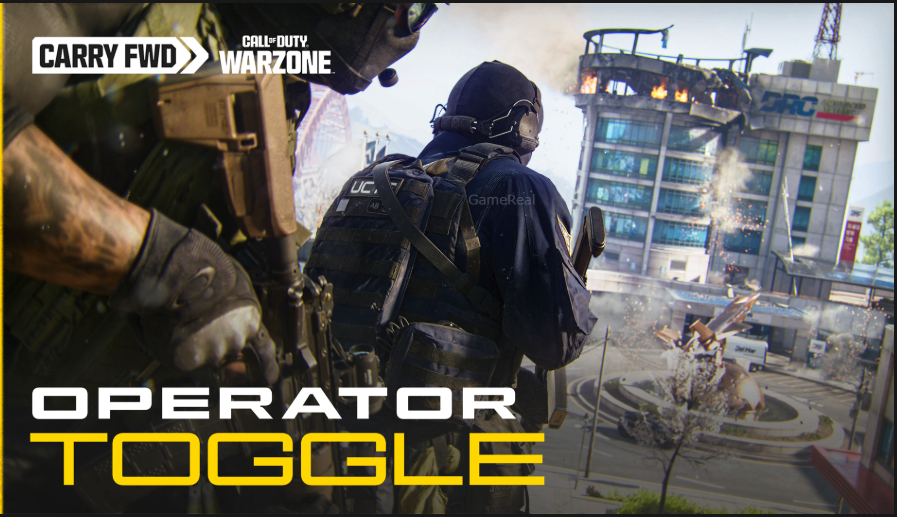
Warzone Operator Skin Toggle: How the New Feature Works
Call of Duty: Warzone is getting a new Operator Skin Toggle with the arrival of the Modern Warfare 4 era, giving players more control over how Operators appear during matches.
The feature is designed for players who enjoy the large collection of Call of Duty cosmetics but would rather see Warzone visually aligned with the latest Modern Warfare 4 setting. Instead of removing older Operators or taking previously purchased content away, the new toggle changes how certain Operators are displayed on your screen.
That distinction is important.
When the Operator Skin Toggle is enabled, players can still use their older Operators, and other players can still own and equip them. The difference is that a player with the filter enabled will see a Modern Warfare 4 Operator in place of another player’s non-MW4 Operator.
Activision confirmed the feature in its September 24, 2026 announcement about Warzone Season 1. The company also confirmed that the toggle is specifically for Warzone and will be turned off by default.
What Is the Warzone Operator Skin Toggle?
The Operator Skin Toggle is a new visual filter being introduced specifically for Call of Duty: Warzone during the Modern Warfare 4 chapter.
Warzone has gradually become a shared platform containing Operators, weapons, cosmetics and other content from several recent Call of Duty releases. That approach gives players access to a large amount of previously earned and purchased content, but it also means that a single match can contain Operators from different games and different visual styles.
The new setting gives players another option.
With the toggle enabled, non-Modern Warfare 4 Operators used by other players will be displayed as Modern Warfare 4 Operators from the perspective of the player who has the filter turned on.
This does not change what another player has equipped.
It only changes what you see.
That makes the feature different from deleting, disabling or replacing an Operator skin from a player’s collection.
How the Operator Skin Toggle Works
The easiest way to understand the system is to separate it into three situations: enemies, teammates and your own Operator.
Enemies
If an enemy is using an Operator or Operator Skin from another Call of Duty title, the player who has the toggle enabled will see a Modern Warfare 4 Operator instead.
For example, imagine an enemy enters a match using an Operator associated with an older Call of Duty game.
With the toggle turned off, you see that player’s selected Operator normally.
With the toggle turned on, you see a Modern Warfare 4 Operator instead.
The other player has not actually changed their equipped skin. The visual substitution happens on your side.
This is an important part of the feature because it means the system is primarily about personal presentation and visual preference.
Party Members and Squadmates
The filter also applies to members of your party and squad.
If someone in your squad is using a non-MW4 Operator, a player who has the Operator Skin Toggle enabled will see that squadmate represented by a Modern Warfare 4 Operator.
The same principle applies in the lobby.
This allows players who prefer the Modern Warfare 4 visual identity to maintain that look even when their friends are using Operators from previous Call of Duty games.
At the same time, the friend using the older Operator does not lose access to their cosmetic.
Your Own Operator
Your own Operator works differently.
Activision has confirmed that enabling the toggle does not replace the Operator you personally selected.
If you equip a non-Modern Warfare 4 Operator, you will continue to see your chosen Operator.
This prevents the setting from unexpectedly changing your own character appearance.
So the basic rule is:
Other players can be visually replaced with MW4 Operators, but your own selected Operator remains unchanged.
That makes the feature a viewing preference rather than a forced cosmetic restriction.
Is the Operator Skin Toggle On by Default?
No.
The Operator Skin Toggle will be OFF by default.
Players who want to use the new visual filter will therefore need to enable it themselves when the feature becomes available.
Players who enjoy seeing the full mixture of Warzone Operators can simply leave the setting disabled.
This is useful because Warzone has a very large cosmetic ecosystem. Some players may prefer the variety, while others may want the visual presentation to feel closer to the latest Modern Warfare chapter.
The toggle gives both groups an option without forcing one presentation on everyone.
Does the Toggle Remove Old Operator Skins?
No.
This is one of the most important details to understand.
The new feature does not mean that older Operator Skins are being deleted from Warzone.
Activision specifically stated that Operators and associated content from Modern Warfare II, Modern Warfare III, Black Ops 6 and Black Ops 7 will remain available in Warzone when Season 1 begins.
That includes previously earned or purchased Skins, Blueprints and Camos.
In other words, the Operator Skin Toggle should not be interpreted as a sunset system for older cosmetics.
Your collection remains part of your Warzone inventory.
The toggle simply determines whether you see other players using those older Operators or instead see a Modern Warfare 4 Operator in their place.
What Happens When the Toggle Is Turned On?
Here is the practical behavior in simple terms:
| Situation | Toggle OFF | Toggle ON |
|---|---|---|
| Enemy uses MW4 Operator | MW4 Operator | MW4 Operator |
| Enemy uses older Operator | Their selected Operator | MW4 Operator |
| Squadmate uses MW4 Operator | MW4 Operator | MW4 Operator |
| Squadmate uses older Operator | Their selected Operator | MW4 Operator |
| You use an older Operator | Your selected Operator | Your selected Operator |
| Lobby player uses older Operator | Their selected Operator | MW4 Operator |
The table shows why this feature is best understood as a local visual filter.
It does not modify another player’s account.
It does not force everyone in the match to use the same Operators.
It changes the representation shown to the player who has the setting enabled.
Does It Affect Other Players?
No.
The Operator Skin Toggle only affects the experience of the person who turns it on.
If you enable the setting, another player does not automatically see your Operator differently because of your setting.
This is particularly important for multiplayer groups.
Suppose you and three friends are playing Warzone together. You enable the toggle, while your friends leave theirs disabled.
You may see an older Operator used by one of your friends as a Modern Warfare 4 Operator.
Your friend, however, can continue seeing their own selected Operator normally.
The setting therefore operates independently for each player.
Why Is Activision Adding This Feature?
The reason becomes clearer when looking at how Warzone has developed.
Over multiple Call of Duty releases, Warzone has carried forward a substantial amount of content. Players have collected Operators, weapon Blueprints, Camos and other cosmetics across different games.
That creates two competing preferences.
One group may enjoy having a huge selection of characters and crossover content in one game.
Another group may want the current Warzone experience to visually match the newest Call of Duty release.
The Operator Skin Toggle is designed to accommodate both preferences.
Activision described the feature as a way to give players more control over how Warzone looks and feels while continuing to preserve access to previously earned and purchased content.
This approach means players do not have to choose between keeping their collection and having a more consistent visual presentation.
Is This the Same as Removing Crossover Skins?
No.
It is better to think of the feature as a display filter.
An older Operator can still exist in a player’s collection and can still be equipped.
The player who owns that Operator is not being told that the cosmetic is unusable.
Instead, another player who has enabled the filter may see a different Modern Warfare 4 Operator in its place.
This distinction could become especially important as Warzone moves into the Modern Warfare 4 chapter.
Rather than completely separating the old and new content, the system gives players a way to decide how much of that visual crossover they want to see.
Does the Feature Work in Modern Warfare 4 Multiplayer?
The announcement specifically describes the Operator Skin Toggle as a feature for Call of Duty: Warzone.
It should therefore not be treated as a universal Modern Warfare 4 cosmetic setting.
Activision’s announcement does not state that the filter will change Operator appearances throughout every Call of Duty experience.
The feature is tied to Warzone and the way Operators are displayed there.
That makes sense because Warzone is the environment where content from several recent Call of Duty games has been brought together most extensively.
What About Carry Forward?
The Operator Skin Toggle is being introduced alongside continued Carry Forward support.
Carry Forward means that previously earned and purchased content can continue to have a place in Warzone even as the game moves into another Call of Duty chapter.
Activision has confirmed that weapons from Modern Warfare II through Black Ops 7 will remain accessible in Warzone through the Legacy section of the Loadout menu.
There are some changes to how legacy weapons are handled.
Legacy weapons and Blueprints will not support the same Gunsmith functionality and previous Custom Loadouts as the newer weapon lineup. However, Activision says players will still have access to five-attachment versions of legacy base weapons, while existing Blueprints retain their established attachment setups.
This is separate from the Operator Skin Toggle, but the two features are connected by the broader idea of maintaining older content while giving the new Warzone chapter its own identity.
Will Older Operators Still Be Useful?
Yes.
The Operator Skin Toggle does not make an older Operator useless.
If you like a particular Operator, you can still use it.
The important difference is that other players may not necessarily see the exact same appearance if they have the filter enabled.
This could become an interesting part of Warzone’s cosmetic system because players will effectively have two perspectives:
- What they choose to equip.
- What their personal display settings allow them to see.
Your collection can remain important to you even if another player chooses to view the match through a Modern Warfare 4-focused filter.
When Is the Operator Skin Toggle Coming to Warzone?
Activision has confirmed that the feature is coming with Season 1 of Modern Warfare 4.
However, the September 24 announcement does not provide a specific launch day for the Operator Skin Toggle itself.
Modern Warfare 4 is currently scheduled to launch on October 23, 2026, while Campaign Early Access begins October 16 for eligible digital pre-orders.
That does not mean the Operator Skin Toggle should automatically be assigned one of those dates.
The confirmed information is that the toggle arrives as part of the Modern Warfare 4 Season 1 Warzone chapter.
Players should therefore avoid treating an unconfirmed date from social media or community posts as the official activation date.
What Players Should Know Before Season 1
There are a few points worth remembering before the feature arrives.
First, the setting is optional.
Second, it is OFF by default.
Third, it affects what you see rather than what another player owns.
Fourth, your own selected Operator is not replaced by the filter.
Fifth, older Operators and other previously earned or purchased content are not being removed simply because this feature is being introduced.
Finally, the feature is specifically connected to Warzone.
These details make the system considerably different from a traditional cosmetic removal feature.
Frequently Asked Questions
What is the Warzone Operator Skin Toggle?
It is a visual filter coming to Warzone with Modern Warfare 4 Season 1. When enabled, it displays Modern Warfare 4 Operators instead of non-MW4 Operators used by other players.
Will my old Operator skins be deleted?
No. Activision says previously earned and purchased Operators and related content will remain available in Warzone.
Can I still use an old Operator?
Yes. The toggle does not remove your ability to use an older Operator.
Will enemies see my Operator differently?
Not because of your setting. The toggle affects the view of the player who enables it.
Does the toggle change my own Operator?
No. Your own equipped Operator remains visible to you even if it comes from an older Call of Duty title.
Is the toggle enabled automatically?
No. Activision says it will be OFF by default.
Does it work in Warzone only?
Yes. The announcement describes the Operator Skin Toggle specifically as a Warzone feature.
When will it be available?
It is scheduled to arrive with Season 1 of Modern Warfare 4. An exact activation date for the toggle has not been confirmed in the announcement.
Final Thoughts
The Warzone Operator Skin Toggle is a relatively simple feature, but it addresses a noticeable part of Warzone’s long-running content model.
The game has accumulated Operators from several Call of Duty releases, giving players a huge amount of cosmetic freedom. At the same time, the large collection can make the visual identity of a new Call of Duty chapter less consistent for players who prefer a grounded or era-specific presentation.
Instead of forcing everyone to choose between older content and the new Modern Warfare 4 look, the new toggle gives players a personal choice.
Leave it off and Warzone can continue showing the broad mix of Operators that players have collected over the years.
Turn it on and other players using non-MW4 Operators will appear as Modern Warfare 4 Operators from your perspective.
Most importantly, the system does not erase the older collection. Your previously earned and purchased content remains part of Warzone’s Carry Forward approach.
As Modern Warfare 4 becomes the next major chapter for Call of Duty, this gives Warzone players another way to decide how they want the game to look without taking away the content they already own.
For now, the key information is straightforward: the Operator Skin Toggle is confirmed for Warzone Season 1, it is optional, it is OFF by default, and it changes your view of other players rather than removing their cosmetics.