
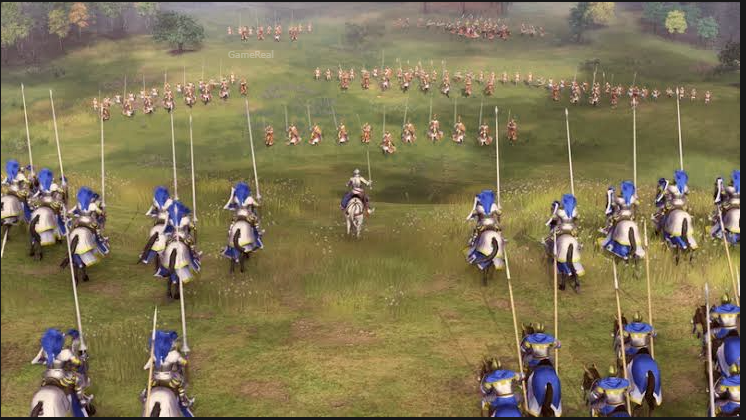
Age of Empires IV Update 17.0: Save and Replay Warning
Age of Empires IV players should check their unfinished games and saved match replays before moving to Update 17.0. In its official preview published on October 22, 2026, World’s Edge warned that saved games and observable matches created on previous builds will be unable to load or replay after updating to the latest build.
The warning matters if you are midway through a campaign, working through a difficult skirmish, reviewing a competitive match, or keeping older replays for strategy analysis. The update brings substantial changes to gameplay, civilization balance, maps, matchmaking, and observer tools, but those additions come with a compatibility limitation for content created under earlier builds.
As of October 25, the publisher has announced the update alongside the upcoming Raiders of the North expansion, scheduled for October 29. Players should therefore prepare for the version change rather than assume that older saves and replays will remain accessible afterward.
What Does the Age of Empires IV Update 17.0 Warning Mean?
The official preview states that saved games and observable matches made on previous builds will not be loadable or replayable after updating.
In practical terms, you should treat the version change as a compatibility boundary. A save or replay created under an earlier build may no longer work through the game’s normal loading or replay system once the game has been updated.
There are two different types of content involved.
Saved games let you resume a game from a previous point. Depending on the mode, that could mean continuing a campaign mission or returning to a saved skirmish.
Observable matches are recorded matches that can be watched again through the game’s replay or observation functionality. Players may use these to review decisions, study opponents, examine unit movements, or revisit memorable matches.
The warning covers both categories. It does not merely refer to multiplayer matchmaking or the ability to join a new match.
However, the announcement does not say that all existing save files will be deleted from a player’s computer or console. It specifically warns that content made on previous builds will be unable to load or replay after the update. File deletion and version incompatibility are different issues, and players should not assume that one automatically means the other.
The announcement also does not promise a universal recovery method for older saves or replays. Until the developer provides further guidance, the safest approach is to finish important games and watch replays you want to preserve before updating.
What Should You Do Before Installing Update 17.0?
You do not need to stop playing Age of Empires IV altogether. The practical goal is to identify anything you would regret losing access to and deal with it before moving to the new build.
1. Finish important saved games
Start by checking your unfinished single-player games and campaign progress.
If you have a mission that is nearly complete, consider finishing it before updating rather than leaving it suspended. The same applies to a skirmish you have saved because you wanted to return to a difficult battle or test a particular strategy.
This is especially relevant if you use saved games to experiment with different tactical decisions. A saved position may be useful precisely because it lets you repeat a situation without rebuilding the entire match from the beginning.
The official warning does not identify a separate exemption for campaign or skirmish saves. Do not assume that a particular mode is safe unless the developer confirms it.
2. Watch replays you want to keep reviewing
If you have recorded matches that you use for learning, watch them before updating.
Competitive players may want to review their openings, scouting routes, resource allocation, army compositions, or decisions during major engagements. A replay can provide a useful record of what happened, but that record is less useful if the game can no longer replay it after a version change.
Tournament observers and community creators should also check any older matches they intend to reference in future analysis or videos.
Watching a replay before updating does not automatically create a permanent video recording. If you need a lasting visual record, you would need to use a recording method available on your own system. The official preview does not specify a built-in export feature that preserves every replay as a standalone video.
3. Identify which replays actually matter
Not every old match deserves the same attention. If you have a large replay collection, prioritize the matches that have a clear purpose.
For example, you might prioritize:
- Matches you want to study for ranked improvement.
- Games containing a strategy you have not yet documented.
- Tournament or team matches you need to review with other players.
- Unusual games you want to revisit for content creation.
- Matches that demonstrate a particular civilization matchup or tactical decision.
This approach saves time. You do not need to watch every replay simply because the update is approaching; focus on the ones you genuinely want to preserve or learn from.
4. Do not assume copying files guarantees compatibility
Keeping a separate copy of important files may be useful for general file preservation, but it is not a confirmed solution to the Update 17.0 compatibility warning.
A saved game or replay can depend on how the game interprets the data, including the build under which the content was created. Preserving a file does not guarantee that a newer version can load it.
The official announcement does not provide a verified procedure for converting previous-build saves or replays to the new format. Avoid relying on unofficial file-editing instructions or assuming that moving a file to another folder will solve the problem.
If you are considering a backup, treat it as a way to retain a copy of the data, not as a promise that the game will be able to use it later.
Why Are Older Saves and Replays Affected by an Update?
The Update 17.0 preview does not explain the technical mechanism behind the compatibility limitation, so it would be inaccurate to attribute the warning to one specific engine change or file-format modification.
However, the practical distinction is clear: saved games and replays created under one build are not guaranteed to work under a later build.
A replay is not necessarily equivalent to a conventional video file. In a strategy game, replay functionality may rely on the game recreating a match from recorded actions and other match information. If the underlying game version changes, the older record may not be compatible with the newer simulation.
That is a general explanation of why version compatibility can matter, not a confirmed technical description of the exact Update 17.0 implementation.
The same caution applies to saved games. A saved state created under an earlier version may depend on rules, data, or systems that have changed. The publisher has confirmed the outcome for this update, but has not provided a detailed technical explanation of every affected file type.
For players, the important point is not to diagnose the underlying cause. It is to understand that the new build should not be treated as backward-compatible with every save and replay from previous builds.
Update 17.0 Adds More Than a Compatibility Warning
The upcoming update also introduces significant changes, making the version transition relevant to players who regularly follow balance adjustments or competitive strategy.
Matchmaking rating changes
The preview describes changes to hidden matchmaking rating, or MMR, after team games.
When players regularly queue with the same teammates, their hidden rating will move toward the team’s true skill more quickly. Rating gains and losses will also be weighted according to a player’s rating relative to teammates rather than divided evenly.
The developer says these changes are intended to make matches more balanced over time and reduce attempts to manipulate match difficulty. Seasonal rank and points are not affected by this particular adjustment.
For players who review previous team matches, the replay warning is worth addressing before the new matchmaking system takes effect. An older replay may be useful for understanding how a team performed under the earlier environment, but it should not be confused with a prediction of how the revised rating system will behave.
Attack-Move settings
Update 17.0 introduces a setting that lets players choose whether Attack-Move targets buildings.
The option is listed under Game settings as Attack Move Targets Buildings. The preview also describes a remappable modifier that can invert the setting’s behaviour.
There is an important exception: siege units that prioritize buildings, including Rams, Trebuchets, and Cannons, will continue targeting buildings by default regardless of this toggle.
Players who depend on Attack-Move commands should review the new setting after updating. It can affect how they issue orders during battles, especially when they want an army to engage enemy units rather than automatically prioritize structures.
This is a separate gameplay change from save compatibility, but it reinforces why players should distinguish between the old build and the updated game when reviewing older strategies.
New Observer HUD mod category
The update preview also introduces a dedicated Observer HUD mod category. These spectator interfaces can be subscribed to and enabled independently of Game Mode mods.
The stated aim is to make custom observer interfaces available for Ranked, Quick Match, custom matches, and tournament replays, while loading Observer HUDs only for spectators. The developer says this should improve stability and reduce setup requirements for hosts and players.
This feature is relevant to people who watch or produce match analysis. However, it should not be mistaken for a promise that old replays will remain compatible. The same update preview that introduces the new observer tools explicitly warns about observable matches made on previous builds.
Players planning to use the new observer features should therefore review important existing replays before the version change.
Will Update 17.0 Delete Your Saved Games?
The official warning does not say that Update 17.0 will delete saved-game files. It says saved games and observable matches made on previous builds will be unable to load or replay after updating.
That distinction matters because it avoids two opposite mistakes: assuming that every file will be erased, or assuming that every file will remain usable simply because it still exists.
The available announcement does not explain whether all affected files will remain visible in the interface, whether any specific content can be recovered, or whether a later update will introduce a compatibility option.
For that reason, do not treat file preservation as a guaranteed recovery method. If you have important content, complete or watch it before updating and consult official Age of Empires support if you encounter a problem.
A Quick Pre-Update Checklist
Before moving to Update 17.0, work through the following list:
- Finish unfinished campaign missions that you do not want to restart or risk being unable to resume.
- Complete important skirmishes that are still saved under the previous build.
- Watch valuable match replays before the game changes versions.
- Prioritize competitive and tournament recordings that you need for future analysis.
- Keep realistic expectations about backups: a copied file is not necessarily compatible with the new build.
- Check official support announcements for any clarification or additional instructions published after the preview.
- After updating, review the new settings that affect Attack-Move behaviour and other gameplay changes.
This checklist is deliberately conservative. It does not claim that every player will lose every old file, nor does it suggest an unverified workaround. It simply helps you deal with content that the publisher has explicitly identified as incompatible.
What Happens After the Update?
The Update 17.0 preview was published on October 22, 2026, alongside information about the Raiders of the North expansion, which is scheduled for October 29. The developer also says it plans to monitor the impact of the new content and player feedback while working on further balance iterations, quality-of-life features, and bug fixes.
That means players should continue checking official announcements for changes to the update and any later clarification about compatibility.
Until such guidance appears, the confirmed position remains straightforward: saved games and observable matches from previous builds will not load or replay after updating to the latest build. The announcement does not establish a universal method to make those older records work again.
Final Takeaway
Age of Empires IV Update 17.0 brings new gameplay adjustments and observer tools, but players should not overlook its save and replay warning. If you have unfinished games, valuable campaign progress, or older matches you rely on for strategy analysis, deal with them before updating.
The warning is about compatibility, not a confirmed deletion of every saved file. Nevertheless, there is no verified guarantee that copying files or trying an unofficial workaround will restore access afterward.
Finish the games that matter, watch the replays you want to keep reviewing, and follow official support guidance for any further developments. That is the most reliable way to prepare for the version change without relying on assumptions about older content.