
Minecraft Switch 2: Upgrade Rules and Minecoin Changes
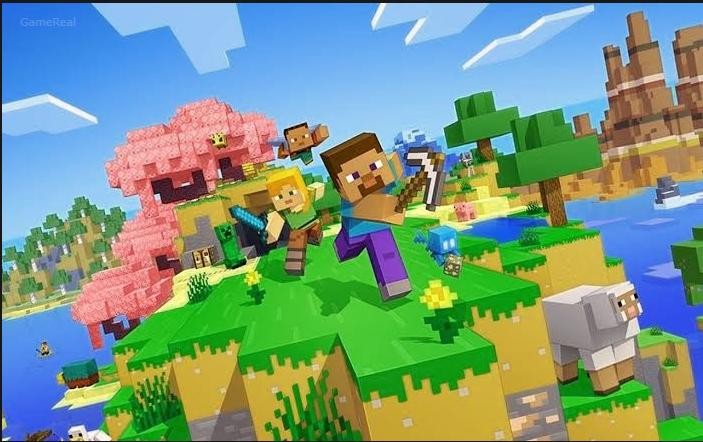
Minecraft is coming to Nintendo Switch 2 on October 27, 2026, bringing a native version with Vibrant Visuals, improved lighting and shadows, and an updated Super Mario Mash-Up Pack. But for existing players, the most important questions are not just about graphics. They are whether the new version costs extra, whether physical-cartridge owners qualify for the same deal as digital owners, what happens to existing worlds, and whether Minecoins will still work across platforms.
Mojang has confirmed a limited-time digital upgrade offer and a change to how Minecoins purchased on Nintendo devices can be spent. These changes take effect around the same launch date, so players planning to upgrade should understand both before purchasing another copy of the game or buying Marketplace currency.
Here is how the confirmed rules work, what the different Switch 2 editions include, and what to check before making the move.
When Does Minecraft Release on Nintendo Switch 2?
Minecraft for Nintendo Switch 2 is scheduled to release on October 27, 2026. Unlike simply running the existing Switch version, the new release is a native version designed to take advantage of the newer console’s hardware.
Its headline visual feature is Vibrant Visuals, which improves the presentation of Minecraft’s familiar block-based worlds through enhanced lighting, shadows, reflections, and other graphical effects. The new version also includes the Super Mario Mash-Up Pack, with its themed world, music, and character skins receiving an update for the enhanced visuals.
However, players should not assume every part of the game will use Vibrant Visuals all the time. The official announcement says the feature is unavailable in some gameplay situations, including split-screen and certain Marketplace worlds and content.
That limitation matters if you regularly play local multiplayer or spend most of your time in creator-made worlds. The new console supports the visual feature, but the experience can vary depending on what you are playing.
Nintendo’s store listing also confirms that existing Nintendo Switch worlds can be carried over to the Switch 2 version. That gives returning players a way to continue their established builds rather than treating the new console as a completely fresh start.
Can You Upgrade Minecraft Switch to Switch 2 for Free?
Yes, if you own the digital Nintendo Switch version, you can upgrade to the digital Standard Edition of Minecraft for Nintendo Switch 2 for free in most territories. The offer is limited-time and must be claimed through Nintendo eShop.
Mojang’s published offer runs through the end of January 2027. Nintendo’s US listing specifies the relevant promotional window as October 27, 2026, at 9 AM Pacific Time through January 31, 2027, at 9 AM Pacific Time.
The distinction between digital and physical ownership is important. Owning the original game does not automatically mean every edition of the Switch 2 release is free.
If You Own Minecraft Digitally
If you purchased Minecraft digitally for the original Nintendo Switch, you are eligible for the free digital Standard Edition upgrade in supported territories.
The most sensible approach is to use the Nintendo account associated with your existing purchase and check the Nintendo eShop offer when the new version becomes available. Confirm that the correct game and edition are displayed before completing the transaction.
The offer is specifically for the digital Standard Edition. It does not mean that the Deluxe Collection or Ultimate Collection will also be free.
Players who want the additional content in those editions can choose to upgrade at a discounted price under the promotional offer, where available.
If You Own the Physical Switch Cartridge
Physical ownership follows a different route.
Nintendo’s listing says players who own a physical version can also receive an in-game message inviting them to upgrade to the digital Ultimate Collection at a discount during the promotional period. The message is received by launching Minecraft for the original Nintendo Switch on a Switch 2 console within the stated window.
This is not the same as receiving the free Standard Edition upgrade available to eligible digital owners.
If you own a cartridge, do not assume that inserting it will unlock the free digital Standard Edition. Check the specific offer displayed in-game and review its price before confirming.
This distinction is particularly important for players who bought the physical version years ago and are now moving to a new console. The promotional offer may still provide a discounted route, but the conditions are not identical to those for digital ownership.
Where Is the Free Upgrade Available?
Mojang’s official announcement lists Japan, Taiwan, and Thailand as exceptions to the free Standard Edition offer, with local fees of 100 JPY, 30 NTD, and 25 THB respectively.
There is a small regional discrepancy worth knowing about: Nintendo’s US listing names Japan and Taiwan, while Mojang’s announcement also names Thailand. That is a reason to check the terms shown in your own regional Nintendo eShop rather than relying on a list intended for another market.
The practical rule is simple: confirm the offer on the Nintendo account and eShop region you actually use. Do not assume that the terms shown in another country’s announcement will be identical.
What Is the Deadline for the Minecraft Switch 2 Upgrade?
The published upgrade promotion ends on January 31, 2027, with Nintendo specifying 9 AM Pacific Time for its US listing.
That deadline applies to the promotional upgrade route, so players should not leave the decision until the last minute. Regional storefront terms can differ, and the offer must be claimed through Nintendo’s system rather than through an unrelated retailer.
Before the deadline, check three things:
- Whether your original copy is digital or physical.
- Whether your regional eShop offers the free Standard Edition or a discounted collection.
- Whether you are selecting the edition you actually want.
If you only want the native Switch 2 version and do not need extra add-ons or Minecoins, the Standard Edition is the option to investigate first if your digital ownership qualifies.
If you want the bundled Marketplace currency and extra content, compare the Deluxe and Ultimate offers before paying. The discounted upgrade price may make a higher edition more appealing, but that depends on the local price and whether you would otherwise buy its included items.
Minecraft Switch 2 Editions Explained
The Switch 2 release has three digital options: Standard Edition, Deluxe Collection, and Ultimate Collection. All three include the Super Mario Mash-Up Pack with Vibrant Visuals.
The main difference is the additional content bundled with each collection.
Standard Edition
The Standard Edition includes the base game and the Super Mario Mash-Up Pack.
For players who mainly want to continue building, exploring, surviving, and playing with friends, this is the straightforward choice. It avoids paying for add-ons or extra Minecoins that you might not use.
Eligible digital owners of the original Switch version can claim this edition through the free upgrade offer in most territories during the promotional period.
Deluxe Collection
The Deluxe Collection includes the base game, the Super Mario Mash-Up Pack, three add-ons, three exclusive Character Creator items, and 700 Minecoins.
Its three add-ons are:
- Celebration Food
- Rescue Dogs
- Plenty O’Blocks
This collection is aimed at players who want extra content for decorating, customization, or expanding their Minecraft experience without purchasing each included item separately.
The value depends on your interests. If you would use the add-ons and Minecoins anyway, the bundle may be useful. If you mainly play vanilla-style Survival or Creative and rarely browse the Marketplace, the extra content may be less compelling.
Ultimate Collection
The Ultimate Collection includes everything in the Deluxe Collection, plus two additional add-ons. It contains five add-ons in total, five exclusive Character Creator items, and 1,000 Minecoins.
Its add-ons are:
- Celebration Food
- Rescue Dogs
- Plenty O’Blocks
- Decocraft
- Weapons + Tools
The extra add-ons and larger Minecoin allowance make this the most content-heavy option of the three.
However, the largest bundle is not automatically the best purchase. Compare the discounted price against what you would genuinely use. If you want the native version and have no interest in the bundled extras, the Standard Edition may be a better fit.
One important restriction applies to the Minecoins included in the Deluxe and Ultimate editions: Minecoins included with these Nintendo versions must be used within the Nintendo ecosystem. They should not be treated as a general-purpose balance that can be freely spent on every device.
What Happens to Existing Minecoins on October 27?
The Minecoin changes are a separate issue from the Switch 2 game upgrade, and they may affect players who use Minecraft on several platforms.
Minecoins are Minecraft’s virtual currency for purchasing Marketplace content, including worlds, skins, texture packs, and other creator-made items.
Starting October 27, 2026, Minecoins purchased inside Minecraft on a Nintendo device will be restricted to use on Nintendo systems. At the same time, Minecoins purchased in Minecraft on other devices will no longer be available for Marketplace purchases on Nintendo devices.
This means the platform where you buy new currency will matter more than before.
For example, if you play on both a Windows PC and a Nintendo Switch 2, you should not assume that Minecoins purchased on the PC version can be spent on the Nintendo version after the change takes effect. The same applies in the opposite direction to newly purchased Nintendo Minecoins.
Existing Minecoins Are Not Being Removed
The important exception is the balance you already own before October 27.
Mojang says existing Minecoins will move into a Legacy Wallet. That balance will remain usable across compatible platforms, and it will not have an expiration date under the announced policy.
The Legacy Wallet is separate from the new Nintendo Wallet that holds Minecoins purchased on Nintendo devices after the change.
This means the change is not a blanket loss of every Minecoin already associated with your account. Instead, the new rules separate older currency from currency purchased under the Nintendo-specific system.
That difference matters if you have saved up a balance for a large Marketplace purchase. You should not assume that the existing balance suddenly becomes Nintendo-only just because you start playing the new Switch 2 version.
Which Wallet Gets Spent First?
Mojang says Legacy Wallet Minecoins will be used first before Minecoins purchased after the launch and placed in the Nintendo Wallet.
In practical terms, if your account has both a Legacy Wallet balance and a newer Nintendo Wallet balance, the older compatible balance is consumed first when you spend Minecoins.
This helps explain why two balances may appear to behave differently after the transition. The new wallet arrangement is intended to distinguish existing currency from new Nintendo purchases, not to erase the value of the older balance.
If you play on multiple devices, check the balances shown in Minecraft after the change and make sure you understand which currency is being spent before making a Marketplace purchase.
Should You Buy Minecoins Before the Change?
Do not buy Minecoins solely because you assume every balance will become unusable across platforms on October 27. The official announcement explicitly says that Minecoins owned before that date move to the Legacy Wallet and remain usable across compatible platforms.
The better decision depends on where you play and where you intend to spend the currency.
If you mainly play Minecraft on Nintendo, the new Nintendo Wallet may not change your day-to-day routine very much. You will still need to use Nintendo-purchased currency within the Nintendo ecosystem.
If you regularly switch between Nintendo and PC, Xbox, mobile, or other supported platforms, be more careful. New purchases made on one platform may not be spendable on the other after the change.
Before buying currency, decide which device you will use for your next Marketplace purchase. Then check the platform restrictions attached to the Minecoins you are considering.
There is also no need to rush into buying extra currency without a planned purchase. Buying more Minecoins than you need can leave you with a balance tied to a platform you do not use as often.
What About Minecoin Gift Cards?
The new rules also affect how players should choose Minecoin cards.
Mojang warns that newer retail cards may no longer support Nintendo devices. It recommends checking the supported platforms printed on the packaging before buying or redeeming a card.
Do not assume that every card labelled “Minecoins” will work on every version of Minecraft. Check the platform list and confirm that Nintendo is supported if you intend to spend the balance on a Switch or Switch 2.
This is especially relevant when buying a gift for someone else. A card that works for the giver’s PC version may not necessarily be suitable for the recipient’s Nintendo version under the new rules.
If the packaging is unclear, confirm compatibility before purchasing. A quick check is better than discovering after redemption that the currency cannot be used where you intended.
Will Your Existing Minecraft Worlds Carry Over?
Nintendo’s official listing confirms that worlds from the Nintendo Switch version can be carried over to the Switch 2 version. This is an important point for players who have spent months or years building large bases, farms, cities, or multiplayer worlds.
Still, world transfer and Minecoin restrictions are separate matters. Carrying over a world does not change the rules governing where newly purchased Minecoins can be spent.
Before switching consoles, take time to confirm that your existing worlds are available through the transfer process and that you are using the correct Nintendo account. If you rely on a particularly valuable world, make sure you understand the available transfer and backup options rather than assuming every piece of data moves automatically without any action.
Nintendo’s listing also states that cross-platform play requires a Microsoft account, while online multiplayer requires a Nintendo Switch Online membership sold separately. Those requirements are worth checking if your main reason for upgrading is to play with friends.
What Should You Check Before Upgrading?
A little preparation can help you avoid buying the wrong edition or misunderstanding your currency balance.
Before October 27
- Identify your original copy. Check whether you own Minecraft digitally or on a physical cartridge. The free Standard Edition upgrade is described for digital owners, while physical owners are offered a discounted Ultimate Collection route through the in-game promotion.
- Check your Nintendo account. Make sure you know which account owns the digital purchase and which account you will use on the Switch 2.
- Review your Minecoin balance. If you play on multiple platforms, note your existing balance and remember that currency owned before October 27 is intended to move into the Legacy Wallet.
- Avoid unnecessary currency purchases. Decide where you plan to use new Minecoins before buying them.
- Check gift-card compatibility. Look at the supported platforms on the card before purchasing or redeeming it.
On or After October 27
- Open Minecraft on the relevant console and check the available upgrade offer.
- If you qualify for the free digital Standard Edition, confirm that the eShop is showing the correct offer.
- If you own a physical copy, look for the in-game discounted Ultimate Collection offer described by Nintendo.
- Compare the Standard, Deluxe, and Ultimate editions based on the content you will actually use.
- Confirm that your existing worlds have been carried over using the supported process.
- Review your Minecoin wallets and the platform restrictions before making a Marketplace purchase.
These checks do not change the official eligibility rules, but they can help prevent a common mistake: treating the game upgrade, world transfer, and Minecoin changes as if they were one single feature.
Frequently Asked Questions
Is Minecraft Switch 2 a separate native version?
Yes. Minecraft for Nintendo Switch 2 is a native release designed for the newer console and includes support for Vibrant Visuals, subject to gameplay and content limitations.
Is the Switch 2 version free for everyone who owns Minecraft on Switch?
No. The announced free digital Standard Edition upgrade is for eligible owners of the digital Nintendo Switch version in most territories. Physical owners have a different discounted upgrade offer.
When does the upgrade offer end?
Nintendo’s US listing specifies January 31, 2027, at 9 AM Pacific Time. Check your regional Nintendo eShop for the applicable terms.
Will my old Minecoins expire?
Mojang says Minecoins owned before October 27, 2026, move to the Legacy Wallet, remain usable across compatible platforms, and do not have an expiration date under the announced policy.
Can I spend newly purchased Nintendo Minecoins on PC?
The announced rules restrict Minecoins purchased in Minecraft on Nintendo devices to the Nintendo ecosystem from October 27, 2026. Do not assume those new Nintendo-purchased Minecoins can be spent on PC.
Can I spend Minecoins bought on PC on Nintendo Switch 2?
From October 27, 2026, Minecoins purchased in Minecraft on another device can no longer be used for Marketplace purchases on Nintendo devices. Existing pre-change currency is handled separately through the Legacy Wallet.
Does the Switch 2 version include the Super Mario Mash-Up Pack?
Yes. All announced editions include the Super Mario Mash-Up Pack with Vibrant Visuals, although Vibrant Visuals is not available in every gameplay situation.
Final Takeaway
Minecraft’s Nintendo Switch 2 release brings a native version with enhanced visuals and a limited-time upgrade offer, but the best option depends on how you own the original game. Eligible digital owners can claim the Standard Edition upgrade for free in most territories, while physical owners should check the discounted offer described by Nintendo.
The Minecoin change deserves equal attention. Currency owned before October 27, 2026, moves to the Legacy Wallet and remains usable across compatible platforms, while newly purchased Nintendo Minecoins become restricted to the Nintendo ecosystem. Check gift-card compatibility and your intended spending platform before buying more currency.
If you prepare your account, verify your edition eligibility, and understand the two-wallet system, you can move to Minecraft on Switch 2 with fewer surprises and make a more informed decision about which edition is worth your money.