
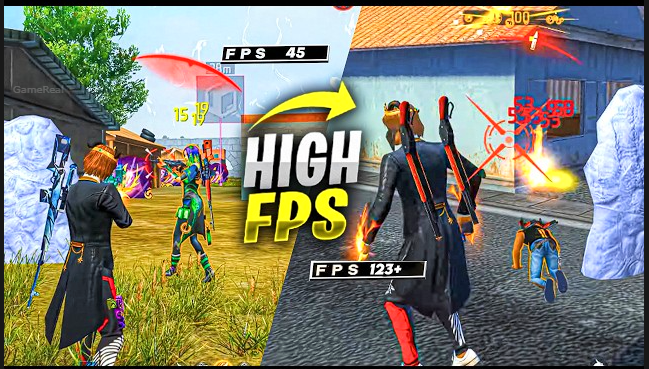
Free Fire MAX FPS Drops During Fights: Causes & Fixes 2026
Few things feel worse in Free Fire MAX than a clean fight suddenly turning into a slideshow. You are tracking an enemy, about to take the shot, and the frame rate collapses. The screen stutters, your aim feels delayed, and the fight is over before you can react. These FPS drops during intense moments are one of the most common complaints among players, especially on mid-range and low-end devices.
FPS drops during fights are rarely caused by a single issue. They usually result from a combination of device heat, graphics load, background processes, memory pressure, and how Free Fire MAX handles multiple effects at once. This guide explains the real causes and gives practical, ordered fixes that actually help in 2026.
Why FPS Drops Happen Specifically During Fights
Outside of combat the game can feel smooth. The moment multiple players, gunfire, particles, and movement fill the screen, the frame rate falls. This happens because fights create a sudden spike in rendering and processing demand.
Common triggers include:
- Multiple characters and weapons on screen at the same time
- Muzzle flashes, bullet impacts, and ability effects
- Vehicles or Gloo Walls being placed or destroyed
- Smoke, fire, or other area effects
- The device already running warm from previous matches
When the phone cannot keep up with that spike, it either drops frames or thermally throttles the processor to protect itself. Both result in the stuttering you feel mid-fight.
Cause 1: Graphics Settings Are Too High for the Device
The most frequent reason is simply that the graphics preset is higher than the phone can sustain under load. Smooth or Standard may look acceptable in the lobby and early game, but the extra effects during a fight push the GPU past its limit.
Fix:
Open Settings → Display and set Graphics to Smooth. This is still the most effective single change for the majority of players. On devices with 4 GB of RAM or less, Smooth is strongly recommended. Even some mid-range phones perform more consistently on Smooth than on Standard once fights start.
Also turn off or lower:
- Visual Effects
- HD Texture
- Vehicle Effects
- Shadows (if available)
Set Animation and Lobby Style to Classic where the option exists. These changes reduce the number of extra particles and high-resolution assets the game has to render when the action peaks.
Cause 2: Thermal Throttling (Overheating)
After 10–20 minutes of play many phones become warm. Once the temperature rises past a certain point, the processor automatically slows down to avoid damage. This thermal throttling is one of the main reasons FPS stays high at the start of a session and then collapses during later fights.
Fixes that help:
- Do not play while charging. Charging generates significant extra heat.
- Remove a thick case during long sessions so heat can escape.
- Lower screen brightness. High brightness is a major heat source.
- Take short breaks between matches to let the device cool.
- Avoid playing in direct sunlight or in a hot room.
- Some players use a simple clip-on fan or play near a fan; even modest airflow helps.
If your phone feels hot to the touch, FPS drops during the next fight are almost guaranteed until it cools.
Cause 3: Background Apps and Low Available RAM
Free Fire MAX needs free memory to handle sudden spikes in activity. When social media apps, browsers, video players, or download managers are running in the background, available RAM drops. During a fight the game has less headroom and starts stuttering.
Fix:
Before opening Free Fire MAX, close all unnecessary apps. On most Android devices you can do this from the recent apps screen. Restarting the phone before a serious session also clears temporary memory and often produces a noticeable improvement.
Keep at least a few hundred megabytes of RAM free if possible. On lower-end devices this single habit can be the difference between playable and frustrating fights.
Cause 4: Storage Space Is Too Low
When internal storage is nearly full, the phone slows down in general. Free Fire MAX has to read and write temporary data during matches. Low storage makes those operations slower and contributes to hitching.
Fix:
Maintain at least 3–5 GB of free storage. Clear cache, remove old downloads, and uninstall apps you no longer use. Inside Free Fire MAX, check the Download Center and delete unused lobby resources or old event assets if the option is available.
Cause 5: High FPS Setting on Weak Hardware
Many players turn High FPS on because it feels smoother when it works. On devices that cannot sustain the higher target frame rate, the result is the opposite: the game tries to push more frames, overheats faster, and then drops hard during fights.
Fix:
If you are on an older or low-RAM phone, try setting High FPS to Normal or Off and test. On stronger devices, High or even the experimental frame-rate options can work well, but only if the phone stays cool and has enough power. Test both ways in real matches rather than only in the training ground.
Cause 6: Outdated Game Version or Corrupted Cache
After major updates (such as OB54 or OB55), some devices experience new performance issues until the client is fully updated or the cache is cleared.
Fix:
Make sure Free Fire MAX is updated to the latest version from the official store. If problems began right after an update, clearing the game cache (or in some cases reinstalling) can resolve stuttering caused by leftover or corrupted files. Note that reinstalling will require logging in again and may need a large download.
Recommended Settings Checklist for Stable Fights
Use this as a starting point and adjust based on your device:
- Graphics: Smooth
- High FPS: High (only if the phone stays cool and stable); otherwise Normal
- Auto Scale: Off or test both ways
- Visual Effects: Off
- HD Texture: Off
- Vehicle Effects: Off
- Animation: Classic
- Lobby Style: Classic
These settings prioritise frame-rate stability over visual fidelity, which is the correct trade-off when FPS drops are ruining fights.
Additional Device-Level Optimisations
- Enable any built-in Game Booster or Game Mode on your phone. These modes often limit background activity and prioritise the game.
- Turn off battery optimisation for Free Fire MAX so the system does not restrict it.
- Keep the phone’s system software updated.
- Avoid running screen recorders or heavy overlays while playing if you notice extra stutter.
Network Lag vs FPS Drops
It is important to separate the two problems. High ping or packet loss causes delayed actions and teleporting players, but the frame rate itself stays high. True FPS drops make the entire screen stutter or freeze momentarily even if the ping number looks fine. The fixes above target the frame-rate side. For pure network issues you need a more stable connection, a different network, or a gaming accelerator, which is a separate topic.
Testing Your Fixes Properly
Change one major setting at a time and play at least two or three full matches before deciding whether it helped. Training ground tests are useful for basic feel, but real fights with multiple players and effects are the only reliable way to judge FPS stability.
If the phone still overheats quickly even on Smooth graphics, the device itself may be the limiting factor. In that case the best long-term solutions are shorter sessions, better cooling, or eventually upgrading the hardware.
Final Thoughts
FPS drops during fights in Free Fire MAX are caused by a combination of high graphics load, thermal throttling, background memory pressure, low storage, and sometimes overly ambitious frame-rate settings. The most effective fixes are lowering graphics to Smooth, disabling extra visual effects, keeping the phone cool, closing background apps, and maintaining free storage.
Start with the graphics and heat-related changes. Those two areas solve the problem for the largest number of players. Then clean up memory and storage. Test in real matches rather than only in the lobby or training area. With the right settings and habits, most devices can deliver noticeably more stable frame rates when the fights get intense.
Stable FPS will not turn every fight into a win, but it removes one of the most frustrating variables and lets your aim and decision-making actually matter.