
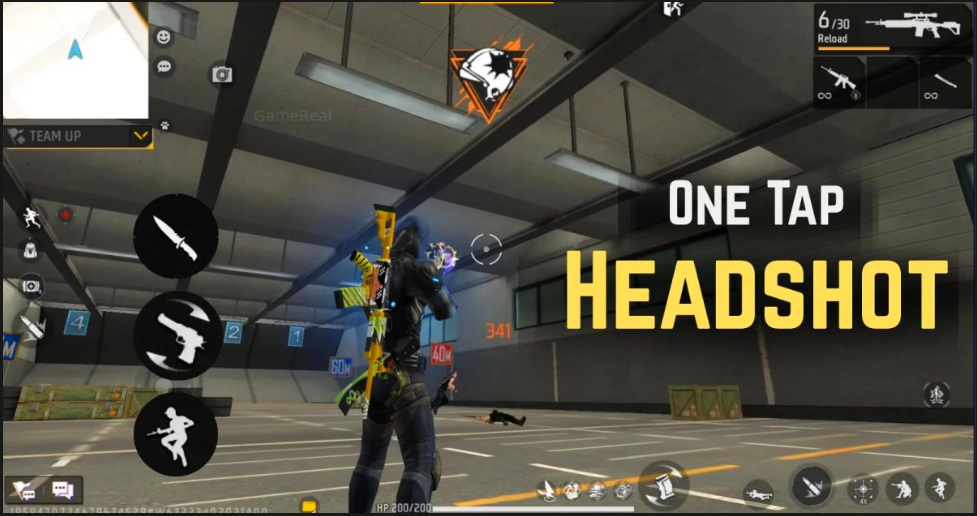
Why Free Fire Drag Headshots Fail: Fix Aim & Sensitivity
Drag headshots are one of the most satisfying and highest-skill techniques in Free Fire. When executed cleanly, a player flicks or drags their aim from the body or chest up to the head in a single smooth motion, landing a critical shot that often ends the fight instantly. Yet many players struggle with consistency. The crosshair feels sticky, the drag goes too far or not far enough, the shot registers as a body hit, or the entire motion feels delayed and imprecise.
This guide breaks down the real reasons drag headshots fail and provides practical, step-by-step ways to fix both aim technique and sensitivity settings. The advice is based on how Free Fire’s shooting and camera systems actually behave, rather than generic “just practice more” suggestions.
What a Proper Drag Headshot Actually Requires
A successful drag headshot is a combination of four elements working together:
- Initial crosshair placement close enough to the target that the drag distance is short and controllable.
- A smooth, deliberate upward (or diagonal) camera movement that tracks the head.
- Correct timing so the fire button is pressed or held at the moment the crosshair reaches the head.
- Sensitivity settings that allow precise small movements without overshooting or feeling sluggish.
When any one of these elements is off, the drag fails. Most players focus only on sensitivity and ignore the other three, which is why their results stay inconsistent.
Reason 1: Poor Crosshair Placement Before the Drag
The single biggest reason drag headshots fail is starting the drag from too far away. If your crosshair is on the enemy’s legs or lower torso when you begin the motion, you have to travel a long distance upward. Longer drags are harder to control, especially under pressure or when the target is moving.
Fix:
Make a habit of pre-aiming at chest or neck level whenever you expect a close or mid-range fight. The shorter the distance your crosshair needs to travel, the higher your success rate becomes. In training mode, practice keeping your crosshair at upper-chest height while moving around corners and through doorways. This alone eliminates a large percentage of failed drags.
Reason 2: Sensitivity Is Either Too High or Too Low
Sensitivity problems appear in two opposite ways.
- Too high: The crosshair flies past the head. You overshoot, correct downward, and end up spraying the chest or missing completely.
- Too low: The drag feels heavy and slow. By the time the crosshair reaches the head, the enemy has already moved or you have taken damage.
Free Fire separates sensitivity into multiple categories (General, Red Dot, 2x, 4x, AWM, etc.). Drag headshots are performed mostly on hip-fire or red-dot, so those two values matter most.
Practical sensitivity approach:
- Start with your current General and Red Dot values.
- Go into training island and stand at a medium distance from a dummy.
- Practice slow, controlled upward drags from chest to head.
- If you consistently overshoot, lower Red Dot (and General if needed) by 5–8 points.
- If the movement feels sticky or you cannot reach the head quickly enough, raise it by 5–8 points.
- Repeat until a smooth chest-to-head motion lands on the head without large corrections.
Most consistent players end up with Red Dot sensitivity that feels slightly slower than their pure hip-fire tracking sensitivity. The extra control is worth the minor loss in raw speed.
Reason 3: Incorrect Drag Technique and Finger Movement
Many players try to drag using a large arm or wrist motion. In Free Fire, small and precise finger movements on the screen produce better results than big sweeps. A large motion introduces more variables and makes micro-adjustments harder.
Better technique:
- Use the tip of your thumb or finger for the camera.
- Keep the movement short and controlled rather than a long swipe.
- Practice “stopping” the drag exactly on the head instead of swinging through it.
- Combine the drag with a slight pause or micro-correction once the crosshair reaches head level before fully committing to the shot.
Recording your own gameplay and watching the crosshair path in slow motion reveals a lot. Most failed drags show the crosshair either sailing past the head or stopping short and then jittering.
Reason 4: Fire Button Timing Is Off
Some players drag perfectly but press fire too early or too late. Firing while the crosshair is still on the chest produces a body shot. Waiting too long after the crosshair reaches the head gives the enemy time to move.
Fix:
In training mode, practice the sequence as two distinct parts at first:
- Drag cleanly to the head and stop.
- Then fire.
Once that feels consistent, begin blending the fire input into the end of the drag motion so it becomes one fluid action. Claw or finger-sleeve players often have an advantage here because they can separate movement, camera, and firing more cleanly.
Reason 5: Device and Control Layout Issues
Several hardware and layout factors quietly sabotage drag headshots:
- High touch latency or an old screen protector that reduces responsiveness
- Overly large fire button that forces the finger into an awkward position
- HUD layout where the fire button or movement joystick interferes with the camera finger
- Gyroscope left completely off when the player would benefit from small gyro adjustments
Fixes:
- Clean the screen and consider a high-quality tempered glass or no protector for better touch response.
- Reduce the size of the fire button slightly if your finger feels cramped.
- Experiment with a slightly higher or lower fire button position so your camera finger has free range.
- Try enabling gyroscope at a very low strength for micro-adjustments only. Many players who struggle with pure touch find that a light gyro setting stabilizes the final part of the drag.
Reason 6: Moving Targets and Peek Timing
Drag headshots on stationary training dummies are much easier than on real players who strafe, jump, or peek. A drag that works in training can fail in a real fight because the head has already moved by the time the crosshair arrives.
Improvement methods:
- Practice in training against the moving bots.
- In real matches, pre-aim the height where the head will be when the enemy peeks rather than where it currently is.
- Use short, controlled bursts of movement (jiggle peeks) so you can time your drag when the enemy’s head is most predictable.
- Avoid initiating a long drag while you yourself are moving sideways at full speed. Counter-strafing or briefly slowing down often makes the camera movement more accurate.
Building a Practice Routine That Actually Works
Random deathmatches help, but deliberate practice produces faster improvement.
A simple 15–20 minute daily routine:
- 5 minutes of static chest-to-head drags on close dummies (focus on smoothness).
- 5 minutes of the same drills at medium range.
- 5 minutes against moving bots, focusing on timing the drag with their movement.
- 5 minutes of free practice where you combine movement, peeks, and drags.
Do this with your actual sensitivity settings. Changing sensitivity every day resets progress. Once you find values that feel controllable, stay with them for at least a week before making further small adjustments.
Sensitivity Starting Points (Guidelines Only)
Every player’s optimal numbers differ because of finger size, device size, and grip style. Still, many consistent drag players fall into these broad ranges for Red Dot / General:
- Lower end (more control): 50–70
- Medium (balanced): 70–90
- Higher end (faster flicks): 90–110+
These are not recommendations to copy exactly. They are reference points. Use the training method described earlier to dial in your personal values.
Additional Tips That Compound Improvement
- Play with a stable frame rate. Dropping frames during a drag makes the motion feel inconsistent.
- Keep your hands dry. Sweaty fingers increase friction and reduce precision.
- Review deaths. When you lose a close fight, ask whether the drag failed because of placement, sensitivity, timing, or target movement.
- Do not force drags in every situation. Sometimes a simple tracked headshot or body shots followed by a quick adjustment is the higher-percentage play.
Final Thoughts
Drag headshots in Free Fire fail for a handful of repeatable reasons: starting the drag from too low, using sensitivity that is too high or too low, employing large uncontrolled finger motions, mistiming the fire input, or fighting against poor HUD layout and device responsiveness. The good news is that each of these problems has a concrete fix.
Improve crosshair placement first so every drag starts closer to the head. Then tune sensitivity in training until a smooth chest-to-head motion lands consistently. Refine your finger technique to favor short, precise movements. Align your fire timing with the end of the drag. Finally, clean up any layout or hardware issues that interfere with control.
Consistent drag headshots are not a talent that some players are simply born with. They are the result of deliberate practice on the specific elements that actually cause failures. Work on those elements one at a time, keep your sensitivity stable once it feels right, and the success rate will rise steadily.