
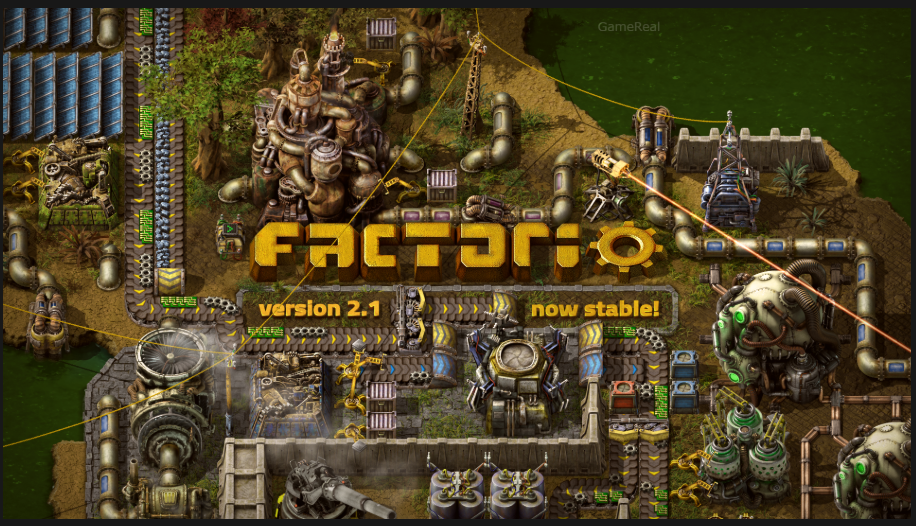
Factorio 2.1 Stable: What to Check Before Updating
Factorio 2.1 has officially reached stable status, giving players who stayed on version 2.0 a reason to revisit their factories. Released as a stable branch on October 23, 2026, the update brings improvements to space logistics, circuit networks, fluid handling, enemy expansion, and several everyday factory-building systems.
However, updating is not simply a matter of downloading the latest version and continuing where you left off. The developers at Wube Software have issued an important warning: existing Factorio 2.0 saves will load in 2.1, but some changes can break established factory designs. More importantly, saves and blueprints updated to 2.1 cannot be downgraded to 2.0.
That makes preparation especially important for players with large factories, complicated circuit networks, heavily customized blueprints, or modded saves.
The good news is that you do not need to rebuild your entire factory before updating. A few sensible precautions can help you protect your progress and identify the systems that deserve attention first.
What Is Factorio 2.1 Stable?
Factorio 2.1 is a refinement of the 2.0 generation rather than a major expansion introducing new planets, enemies, or research trees. Wube describes it as a collection of quality-of-life improvements, smaller features, and changes that were intended to make the game more polished.
The version spent several months in the experimental branch. During that period, players reported bugs and provided feedback that helped shape the final release.
For players who remained on Factorio 2.0 stable, the most important changes involve how existing systems work together. Space platforms have more flexible logistics options, circuit networks offer clearer input and output handling, and several building and fluid behaviors have been refined.
Factorio’s official download page currently lists version 2.1.23 as the latest stable release. Therefore, players updating now should check the version offered by their chosen distribution platform instead of assuming that the initial stable announcement and the newest available build are necessarily the same.
The distinction matters because a stable release can receive further bug fixes. The 2.1 stable milestone describes the release branch’s status, while the version number identifies the particular build installed on your computer.
Back Up Your Saves and Blueprints Before Updating
This is the most important preparation step, particularly if you have spent dozens or hundreds of hours developing a factory.
Wube confirms that Factorio 2.0 save files will load in 2.1. That does not mean every factory will behave exactly as it did before. Changes to circuit behavior and other systems may affect existing designs.
There is also a significant limitation: once a save or blueprint has been updated to 2.1, it cannot be downgraded to 2.0. If you discover a problem after loading your main factory, simply returning to the older game version will not restore the original files automatically.
Before updating, take these precautions:
- Create a separate backup of every important save.
- Export or otherwise preserve the blueprints you cannot afford to lose.
- Keep an untouched copy of your most important factory before opening it in 2.1.
- Back up any dedicated-server worlds that you administer.
- Record which mods and mod versions your current save uses.
- Avoid overwriting your only backup with a save created in the new version.
A backup is most useful when it remains separate from the files you intend to update. Keeping a copy of a save in the same folder is not enough if your normal workflow might overwrite or replace it.
Consider organizing backups by version. For example, retain a clearly labeled copy of your last working 2.0 save and create a separate 2.1 save after testing the update. This makes it easier to identify which file belongs to which game version.
If you use blueprints for train stations, circuit-controlled production lines, nuclear power, or large-scale factories, preserve those separately as well. A blueprint library represents accumulated design work, and losing a carefully refined layout can be more frustrating than rebuilding a small section of a factory.
Check Circuit Networks Before Loading a Main Factory
Circuit networks deserve special attention because Factorio 2.1 changes how circuit reads and writes can be handled.
The update introduces a clearer separation between input and output signals, allowing circuit reads and writes to be directed to different wire colors. This replaces the older approach that often relied on a form of self-subtraction to distinguish a signal being read from one being written.
For players building simple factories, this may not require much adjustment. A basic inserter controlled by a single threshold can be relatively straightforward to inspect.
The situation is different for complex designs. Circuit-controlled train stations, combinator arrangements, automated production systems, and other contraptions may depend on precise signal behavior. A design that was built around the old method may need to be reviewed after the update.
Before upgrading, identify the most important circuit-controlled sections of your factory.
Start with systems that affect the entire base, such as automated power management, train dispatching, resource balancing, and production controls. These systems can have consequences beyond one machine if their signals stop behaving as expected.
After loading the factory in 2.1, inspect the relevant connections and conditions. Confirm that the intended signals are being read, that output signals reach the correct destinations, and that automated machines respond as expected.
Do not assume that every circuit design is broken. The developer’s warning is that some existing factory designs may be affected, not that all circuit networks will fail.
If you use a blueprint containing complex combinator logic, test a copy before replacing the version you already trust. That gives you room to identify and correct problems without immediately changing the working design.
Review Fluid Systems, Inserters, and Belts
Factorio 2.1 also changes several smaller behaviors that can matter when a factory relies on precise layouts.
One useful improvement concerns fluid mixing. Pipelines containing different fluids will no longer merge silently; the game prevents the mixing and displays a warning instead.
This is particularly relevant to factories with multiple chemical production lines, oil processing, fluid wagons, or complicated pipe connections. A warning can help identify a connection that needs attention rather than allowing an unwanted mixture to pass unnoticed.
However, players should still inspect their existing fluid layouts. The fact that mixing is prevented does not mean every pipe arrangement will automatically match the design you intended. Check any warning the game displays and confirm that the correct fluids reach the appropriate machines.
The update also improves fluid flow behavior at high throughput. This is relevant to production setups that move large quantities of fluid, including designs using powerful or high-quality machinery. It is a documented mechanical refinement, not a guarantee that every factory will produce more output after updating.
Inserter behavior has also received attention. Inserters now consistently drop items onto the input side of splitters. In addition, the game provides a drop-direction indicator in situations where the lane receiving an item might otherwise be ambiguous.
Blueprint flipping has been adjusted so that flipping a blueprint will not change this drop behavior unexpectedly.
These changes are intended to make factory construction more predictable. Nevertheless, if a tightly packed production line depends on a particular belt lane, inspect it after loading the updated save. Check whether the item flow matches the intended design, especially in layouts where a single misplaced item can disrupt downstream production.
Pumpjacks and burner mining drills can also be flipped in 2.1, offering more flexibility when fitting machinery into limited spaces.
Understand the Space Age Logistics Improvements
Players who own Factorio: Space Age have several additional reasons to explore the update. Many of the changes focus on reducing unnecessary logistics work and making space platforms more flexible.
Rockets Can Carry Mixed Cargo
In Factorio 2.1, a rocket can carry multiple different item types in a single launch. Previously, players could find themselves sending a rocket with more of one item than a destination needed simply because the platform required a small quantity of several different supplies.
Mixed cargo makes smaller deliveries more practical. If a platform needs a combination of materials, ammunition, fuel, or repair supplies, players can plan shipments around that mix rather than treating every launch as a delivery of one item type.
The practical benefit depends on how your existing supply network works. A factory that already sends carefully coordinated deliveries may require little redesign, while a platform supplied through repeated, inefficient launches could benefit from revisiting its requests.
Platforms Can Exchange Items
Space platforms can now request items from and provide items to other platforms in orbit. This expands the logistics options available to players managing several platforms.
Instead of treating every platform as an isolated destination, you can plan transfers between platforms where the requirements and available supplies make sense.
The new options can simplify some supply arrangements, but they do not remove the need for sensible resource planning. A platform still needs a reliable source of the materials required for its role, and poorly coordinated requests can create unnecessary movement or shortages.
Review your platform requests after updating, particularly if your existing system depends on a specific sequence of deliveries.
Import Requests and Circuit Control
Leaving the Import from slot blank allows items to be imported from all locations. The developers identify fuel, ammunition, and repair packs as examples of supplies that can benefit from this behavior.
The update also allows space platform hub requests to be controlled through the circuit network. Radar Universe mode can send and receive circuit signals between planets and platforms using a shared channel.
These options give advanced players more control over automated logistics. If your platform network uses circuit conditions, test its request logic carefully rather than assuming that existing controls will need no adjustment.
Landing Pads Become More Flexible
A new cargo bay allows inserters to remove items from a landing pad and move them into trains, chests, belts, or other destinations that inserters can interact with.
This can make landing-pad unloading more convenient for bases where incoming supplies need to enter an existing rail or belt network.
The cargo bay can only be placed within a limited area around the landing pad, so it does not remove every construction constraint. Elevated rails can be built over cargo bays, however, providing another option when designing compact transport layouts.
If your Space Age base depends on landing pads, consider whether the new unloading arrangement could simplify your existing infrastructure. There is no need to rebuild a functioning system simply because a new option exists.
What Changes for Quality and Train Systems?
Factorio 2.1 changes the relationship between Space Age and the Quality mod.
Space Age can now be played without Quality. The Recycler has been separated into its own mod, while Quality is a recommended dependency that remains enabled by default.
This is an important distinction for players who want to change their mod setup. Quality is no longer required in the same way for Space Age, but that does not mean removing it from an existing save is automatically risk-free. Your factory may contain items, machines, or designs that depend on the mods you have enabled.
Before changing your setup, review the active mods and understand what your save uses. Keep a backup before disabling a mod, and check the compatibility information provided by the relevant mod authors.
The update also introduces Quality locomotives and wagons, including faster trains and larger cargo and fluid wagons. These options may be useful to players who want to revisit rail logistics, but their value depends on the design and requirements of your existing network.
Another confirmed change closes a particular Quality-related strategy: Quality modules can no longer be used in asteroid reprocessing.
If your production plans depend on that method, review the affected setup rather than assuming it will continue to work as before.
Check Mod Compatibility Before Updating
A stable base-game release does not guarantee that every mod is ready for it.
Wube notes that many popular mods were updated during the experimental period, but some mods players rely on may still not be ready. This is particularly important for large modded factories, where a single missing or incompatible dependency can affect the ability to load or operate a save.
Before updating, make a list of the mods required by your current factory. Check each important mod’s current compatibility information and update status. Pay special attention to mods that add machines, resources, technologies, production chains, or changes to core game behavior.
Do not assume a mod is compatible merely because its name appears in the mod portal. Check the version information and any notes supplied by its creator.
If a critical mod has not been confirmed as compatible, consider delaying the update for that save until you have better information. You can still explore 2.1 separately, provided you keep your existing save and mod configuration protected.
Players running multiplayer games or dedicated servers should also coordinate their update plans. The game versions and relevant mod configurations need to be compatible across the setup. Updating one part of a shared environment without checking the others can create avoidable problems.
What Does 2.1 Change About Enemy Expansion?
The update includes adjustments to how enemy bases expand across the map.
Expansion groups scale with evolution, making them a more meaningful challenge rather than producing many small groups. Early map exploration also no longer reduces the number of expansions near your base, and biters choose more natural locations for establishing new bases.
These changes affect the wider pressure that enemies can place on a growing factory. Players who rely on extensive exploration or particular defensive arrangements may notice differences in how the map develops.
Do not interpret these changes as a promise that every new world will be harder or easier. The practical effect depends on your world, progression, settings, and defensive infrastructure.
After updating, keep an eye on your perimeter and expansion routes as you continue playing. If your base depends on a narrow defensive line or a large area cleared during early exploration, make sure your defenses remain suitable for the situation.
A Practical Checklist Before Updating Factorio 2.1
Use this checklist before opening your main factory in the new version.
Protect your progress
- Back up important 2.0 save files.
- Preserve important blueprints separately.
- Keep an untouched copy of your original factory.
- Avoid overwriting your only working backup with a 2.1 save.
Review factory behavior
- Identify complex circuit networks and combinator designs.
- Check fluid systems that connect several production chains.
- Review inserter and splitter arrangements where belt lanes matter.
- Identify important automated train stations and production controls.
Prepare Space Age logistics
- Review rocket cargo requests and platform supply arrangements.
- Identify opportunities for platform-to-platform transfers.
- Check landing-pad unloading systems.
- Revisit circuit-controlled platform requests where necessary.
Check mods and multiplayer
- Verify compatibility for important mods.
- Review changes to Quality and Recycler dependencies before modifying your setup.
- Check the version and mod requirements of shared multiplayer or server saves.
- Delay updating a critical modded save if an essential dependency is not ready.
After loading the updated save
- Confirm that the factory loads without critical errors.
- Inspect circuit-controlled systems and automated production.
- Check fluid warnings and important belt connections.
- Verify train schedules, platform requests, and supply flows where relevant.
- Keep the original backup until you are confident that the updated factory works as intended.
Should You Update to Factorio 2.1 Stable Now?
For players using an uncomplicated factory with few mods, the update may be relatively straightforward after creating a backup. The quality-of-life improvements offer useful refinements without requiring every player to redesign an entire base.
Players with large circuit-controlled factories, extensive blueprint libraries, or complicated mod setups should take more care. Their main concern is not that the update is inherently unsafe; it is that changes to established systems can have consequences that are difficult to reverse if the original files have not been preserved.
Space Age players should also consider the new logistics options. Mixed rocket cargo, platform-to-platform transfers, circuit-controlled hub requests, and landing-pad unloading can make some existing arrangements more flexible, but the best approach is to test changes against the needs of the actual factory.
There is no need to rebuild everything immediately. Back up the original save, update when your essential mods are ready, and inspect the systems most likely to be affected.
Final Takeaway
Factorio 2.1 stable is a substantial collection of refinements to factory building, circuit networks, fluids, enemy expansion, and Space Age logistics. It offers practical improvements, but the transition from 2.0 deserves preparation.
The most important rule is simple: back up your saves and blueprints before updating, because 2.1 files cannot be downgraded to 2.0. Then check your circuit networks, fluid connections, mod compatibility, and automated logistics before committing to the updated factory.
With those precautions in place, you can explore the new features while protecting the factory you have already built.