
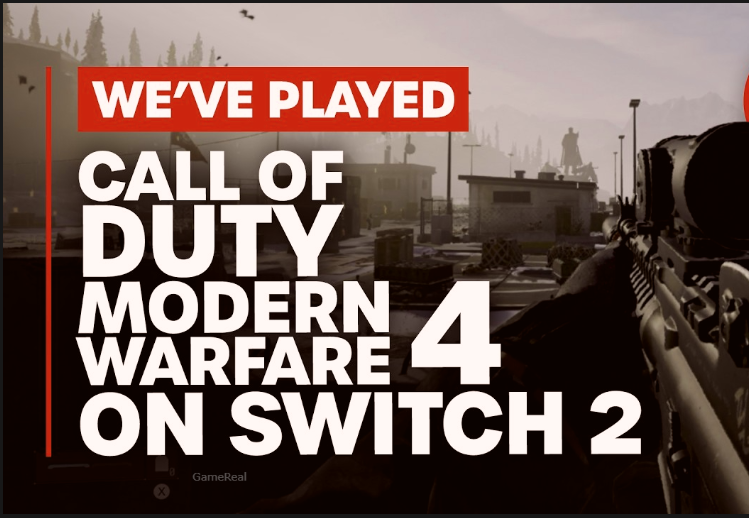
Modern Warfare 4 on Switch 2: Online Play Explained
Call of Duty: Modern Warfare 4 launched on Nintendo Switch 2 on October 23, 2026, bringing the series back to Nintendo hardware with online Multiplayer and the extraction-based DMZ mode. Players can compete in traditional multiplayer battles, deploy with a squad, and experience the game in handheld, tabletop, or TV mode. However, getting online involves more than purchasing the game.
Nintendo Switch Online membership, a Nintendo Account, an internet connection, and an Activision account are among the requirements players should understand before starting. The game also supports cross-play, cross-progression, and optional Joy-Con 2 mouse controls, according to the official announcement.
For Switch 2 owners, the practical questions are straightforward: What do you need to play online? Which multiplayer experiences are available? How does cross-play affect playing with friends? And what should you check if online access does not work?
Here is how Modern Warfare 4’s online experience works on Nintendo Switch 2, based on the information confirmed by Nintendo and Activision.
Is Modern Warfare 4 Online on Nintendo Switch 2?
Yes. Modern Warfare 4 includes online Multiplayer and DMZ on Nintendo Switch 2. Both experiences require a Nintendo Switch Online membership, which is sold separately from the game.
The distinction between the game’s main modes matters because they offer different types of multiplayer experiences.
Traditional Multiplayer focuses on competitive combat across different maps and modes. Activision describes the experience as grounded, precise combat built around movement, player choice, and control during engagements. The launch announcement identifies 12 new 6v6 maps, alongside larger maps designed for vehicle and infantry combat.
DMZ follows a different structure. Players enter contested areas to recover valuable equipment and complete objectives while managing the risks of remaining in the field. The central decision is whether to continue pursuing objectives or extract with the items already collected.
These two options serve different preferences. Players who want structured competitive matches can focus on Multiplayer, while those who prefer objective-based deployments and extraction decisions can explore DMZ.
Neither mode should be confused with the single-player Campaign. Owning the game gives players access to its advertised content, but online Multiplayer and DMZ have additional network and subscription requirements.
What You Need to Play Modern Warfare 4 Online
Before launching an online match, check that your account, subscription, and connection meet the game’s requirements.
| Requirement | Why it matters |
|---|---|
| Nintendo Switch 2 | Modern Warfare 4 is listed for Switch 2, not the original Nintendo Switch. |
| Modern Warfare 4 | The full game is required for its online modes. |
| Nintendo Account | Nintendo identifies an account as necessary for online features. |
| Nintendo Switch Online | A separate membership is required for Multiplayer and DMZ. |
| Activision account | The Nintendo store listing identifies this as a game requirement. |
| Internet connection | Online matches and other online features require internet access. |
| Game updates | Additional storage space may be necessary for mandatory updates. |
Requirements and online services can vary by region. Nintendo also states that a mobile phone number linked to an Activision account may be required to play Modern Warfare 4. Players should check the current account requirements applicable to their region rather than assume every account will be treated identically.
Does Nintendo Switch Online come with the game?
No. Purchasing Modern Warfare 4 does not automatically provide a paid Nintendo Switch Online membership.
Nintendo’s launch announcement states that a membership is needed for Multiplayer and DMZ. Players should therefore account for the subscription separately when budgeting for the game.
Nintendo has advertised a seven-day free trial in its US launch announcement, including for players who have tried a trial before. Trial eligibility, availability, and terms can differ by region and may change, so check the membership options available through your own Nintendo Account.
If you intend to play online regularly, review the available subscription plans and renewal conditions before activating one. A trial is not the same as a permanent free online service.
Do you need an Activision account?
Yes. Nintendo’s store listing identifies an Activision account as a requirement for Modern Warfare 4.
If you already use an Activision account for supported Call of Duty games, check which account is linked before starting. Using a different account from the one associated with your existing progress can create confusion about which profile or progression information you are accessing.
Do not assume that simply signing in with a Nintendo Account automatically completes every Activision account requirement. Follow the game’s displayed account-linking instructions and resolve any verification requests before attempting to troubleshoot matchmaking.
How Cross-Play Works on Switch 2
Modern Warfare 4’s official Nintendo announcement confirms cross-play as a Multiplayer feature. Cross-play allows supported players on different platforms to play together, rather than restricting every match to people using the same console family.
For Switch 2 owners, this is important when choosing where to play with friends. If your group uses different supported platforms, cross-play is intended to make shared multiplayer sessions possible.
However, confirmation of cross-play does not answer every matchmaking question.
Players should not assume that all platforms are always placed in identical matchmaking pools, that every game mode uses precisely the same rules, or that every platform-specific restriction is absent. The detailed settings and limitations should be checked against the current in-game options and official support information.
Can Switch 2 players play with friends on other platforms?
Cross-play is officially confirmed, but the practical setup depends on the supported account and party systems.
Before arranging a session, make sure that each player:
-
- Has access to the full game on a supported platform.
-
- Has completed any required account setup.
-
- Can access the relevant online mode.
-
- Can find or join the intended party using the available in-game social features.
If an invitation does not work, verify the account names and party settings before assuming the Switch 2 version cannot connect to another platform.
The official cross-play announcement establishes the feature’s availability, but it should not be used to invent unconfirmed details about friend invitations, platform-specific matchmaking switches, or individual mode restrictions.
Does cross-play mean Switch 2 players have the same controls?
No. Cross-play concerns playing across platforms; it does not mean that every platform uses the same input method.
Nintendo confirms optional Joy-Con 2 mouse controls for Modern Warfare 4. Switch 2 players can also consider the controller options supported by the game, including conventional controller play.
Different input methods can affect how players prefer to aim and move. However, the availability of mouse controls alone does not establish that the game uses a particular matchmaking policy for different control types.
Players should check the game’s actual control settings and any published matchmaking explanations before drawing conclusions about competitive fairness.
What Cross-Progression Means for Players
Modern Warfare 4’s official Nintendo announcement also confirms cross-progression.
Cross-progression is intended to let supported progression carry across compatible platforms or versions under the game’s account system. For players who use more than one gaming platform, that can reduce the need to treat every platform as an entirely separate progression journey.
The important distinction is that cross-play and cross-progression solve different problems.
Cross-play concerns who can play together. Cross-progression concerns the continuity of supported progression between platforms.
Neither term should be interpreted as a guarantee that every purchase, entitlement, setting, or item transfers without restrictions. Individual content and account rules can differ, and the exact treatment of particular purchases should be verified through official documentation.
What should you check before switching platforms?
If you already play Modern Warfare 4 elsewhere, check your Activision account and platform links before starting a new progression journey on Switch 2.
Use the same intended account where required, and review the game’s current cross-progression instructions. If your progress appears different after signing in, confirm that you have linked the correct accounts before assuming your data has been lost.
Players should also distinguish between progression earned through gameplay and separately purchased content. Cross-progression confirmation does not, by itself, establish that every platform store purchase is interchangeable.
This is particularly relevant if you are deciding whether to buy the Switch 2 version when you already own the game on another platform. Verify the specific content and entitlement rules that matter to you before spending money.
Multiplayer and DMZ: Which Mode Should You Choose?
Modern Warfare 4 offers two distinct online experiences worth understanding before choosing where to spend your time.
Multiplayer: Competitive matches
Multiplayer is the more direct option for players who want structured combat.
Activision describes the mode as emphasizing precise gunplay, movement, and player control. Nintendo’s launch announcement lists 12 new 6v6 maps, alongside larger maps featuring vehicle and infantry combat.
This gives players a choice between smaller engagements and larger battlefield encounters, although the available playlists and their current rotations should be checked in-game.
Players who prefer shorter, clearly structured matches may find traditional Multiplayer the easier starting point. It also provides a straightforward way to learn movement, aiming, map layouts, and weapon handling before exploring a more demanding mode.
The exact match length, playlist availability, and current map rotation can change. Do not treat a launch-day feature list as a permanent guarantee that every playlist will always be available.
DMZ: Extraction-based gameplay
DMZ uses a different risk-and-reward structure.
Instead of focusing exclusively on winning a conventional match, players deploy into a contested environment, pursue objectives, gather valuable equipment, and attempt to extract successfully.
That changes how players should approach each deployment. Continuing to explore may provide additional opportunities, but it can also expose a squad to further danger before extraction.
Players who enjoy planning, resource management, and making decisions under pressure may prefer DMZ. Those who mainly want repeated competitive firefights may find traditional Multiplayer a more natural fit.
The two modes should not be treated as interchangeable. Their objectives and moment-to-moment decisions differ, so choosing between them depends on the experience you want.
Both modes require Nintendo Switch Online membership according to Nintendo’s launch announcement.
Playing in Handheld, Tabletop, and TV Mode
The Nintendo Switch 2 version supports handheld, tabletop, and TV modes, according to its official store listing.
That flexibility can influence how you approach online play.
Handheld mode is useful when you want to play without a television. Tabletop mode allows you to position the console for shared viewing or use a suitable separate controller setup. TV mode is the natural choice for players who prefer a larger display.
These options describe how the console can be used; they do not establish that online performance, image quality, or responsiveness is identical in every situation.
If you are choosing a setup for competitive play, try the available configurations and select the one that feels most comfortable. Consider visibility, controller comfort, and the reliability of your internet connection.
What about Joy-Con 2 mouse controls?
Nintendo confirms optional Joy-Con 2 mouse controls for Modern Warfare 4.
This gives Switch 2 players another input option to consider. Players accustomed to mouse aiming on PC may want to experiment with the supported configuration, while those who prefer conventional controller movement can use a controller-based setup.
The existence of mouse controls does not prove that mouse input is more accurate for every player or that it automatically produces better results. Comfort and familiarity matter, and any meaningful comparison would require actual testing.
Start with the control method you understand best. If you want to try a different setup, use the game’s available control options to adjust your preferences and practise before judging its effect on your performance.
Modern Warfare 4 Online Troubleshooting Checklist
If you cannot enter Multiplayer or DMZ, work through the basic requirements before assuming the game itself is broken.
1. Check your Nintendo Switch Online membership
Confirm that your Nintendo Account has an eligible membership and that it is active.
If you are relying on a free trial, check its eligibility and current terms. An expired trial or inactive subscription may prevent access to online modes that require membership.
2. Verify your accounts
Confirm that you are using the intended Nintendo Account and have completed the required Activision account setup.
If the game displays an account-linking or verification message, follow that message rather than repeatedly attempting to join a match.
If a phone-number requirement appears, check the current official account instructions before making changes.
3. Test your internet connection
Check whether the console can connect to the internet and whether other online services work.
If the connection fails, restart your router or reconnect to the network when appropriate. These are general network checks, not confirmed Modern Warfare 4-specific fixes, and they will not resolve every connection problem.
Avoid assuming that a successful internet connection guarantees access to every game server or online service.
4. Check for required game updates
Look for available game updates and ensure the installation has completed.
Nintendo’s store listing warns that additional storage space may be required for mandatory updates. If an update cannot install, check the console’s available storage and follow Nintendo’s official guidance.
Do not delete saved data or unlink accounts as an initial troubleshooting step without understanding the consequences.
5. Check service availability
If your account, subscription, internet connection, and game version all appear correct, the issue may involve a temporary service interruption.
Check official Nintendo and Call of Duty service announcements for relevant outages or maintenance information.
If the issue continues, record the exact error message and consult the appropriate official support channel. A specific error code is more useful for troubleshooting than a general report that online play is not working.
These steps address common prerequisites, but they should not be mistaken for a verified solution to every possible Modern Warfare 4 connection error.
Is Modern Warfare 4 Online Worth Considering on Switch 2?
The online feature list gives Switch 2 owners several reasons to examine the game, particularly if they want Call of Duty Multiplayer and DMZ on Nintendo hardware.
The strongest practical advantages are the availability of both online modes, officially announced cross-play and cross-progression, and the choice between handheld, tabletop, and TV play. Optional Joy-Con 2 mouse controls also give players another way to approach aiming and movement.
There are trade-offs to consider before buying.
Online Multiplayer and DMZ require a separate Nintendo Switch Online membership. An Activision account is also required, and internet access is necessary. Players who already own the game on another platform should verify the specific cross-progression and purchased-content rules relevant to their accounts.
The confirmed feature list also cannot substitute for hands-on performance testing. Without verified Switch 2 testing results, it would be misleading to make definitive claims about frame rates, latency, visual quality, or competitive performance compared with other platforms.
For that reason, the best purchasing decision depends on your priorities. If you value portable access to Call of Duty’s online modes, the Switch 2 version offers a confirmed route to that experience. If your decision depends on detailed technical performance or the transfer of particular purchases, seek reliable evidence about those specific questions before buying.
Final Takeaway
Call of Duty: Modern Warfare 4 is available on Nintendo Switch 2, with online Multiplayer and DMZ requiring a Nintendo Switch Online membership. Nintendo and Activision have also confirmed cross-play, cross-progression, and optional Joy-Con 2 mouse controls.
Before playing, make sure you have the required subscription, the correct accounts, a working internet connection, and sufficient storage for game updates. If you already play on another platform, verify account linking and content-transfer rules rather than assuming every entitlement carries over.
The essential distinction is simple: the game’s online features are confirmed, but individual account restrictions, service availability, and technical performance should be checked separately. Understanding those requirements will help you decide whether the Switch 2 version suits your preferred way to play.